
How far have this year's Singles' Day shopping rules pushed you?
In recent years, online shopping festivals have turned from a fun spending spree into an exhausting math competition. Some shoppers joke that if they had put this much effort into their college entrance exams, China's top universities would have sent them offers.
Cross-store discounts, deposit bonuses, limited-time price cuts, and category coupons keep multiplying. Shoppers have to compare platforms while calculating spending thresholds and which promotions can be combined.
Even after all that careful calculation, a seller may quietly lower the price a few days later. Your order may still qualify for price protection, but a busy schedule and a hard-to-find refund page can mean missing money you were entitled to claim.
Saving money should never come at the cost of your valuable time and energy.
To address these shopping headaches, Tabbit has introduced a mobile Singles' Day Shopping Assistant and an upgraded desktop Savings extension. They take care of the calculations and price checks so you can save both money and effort.
Singles' Day Shopping Assistant: See the real price at a glance
During a sale, choosing a product is often easier than working out its final price. Have you met the discount threshold? Did every coupon apply? Which size or package offers the best unit price?
The Singles' Day Shopping Assistant in Tabbit mobile 1.2 is designed to solve this problem.
Enter a product name or describe a category you are shopping for. The assistant brings together comparable products from across the web, identifies their sources, and makes the best offers easy to compare.

It also interprets store coupons, category coupons, and cross-store instant discounts for each category, producing a clear estimated final price.
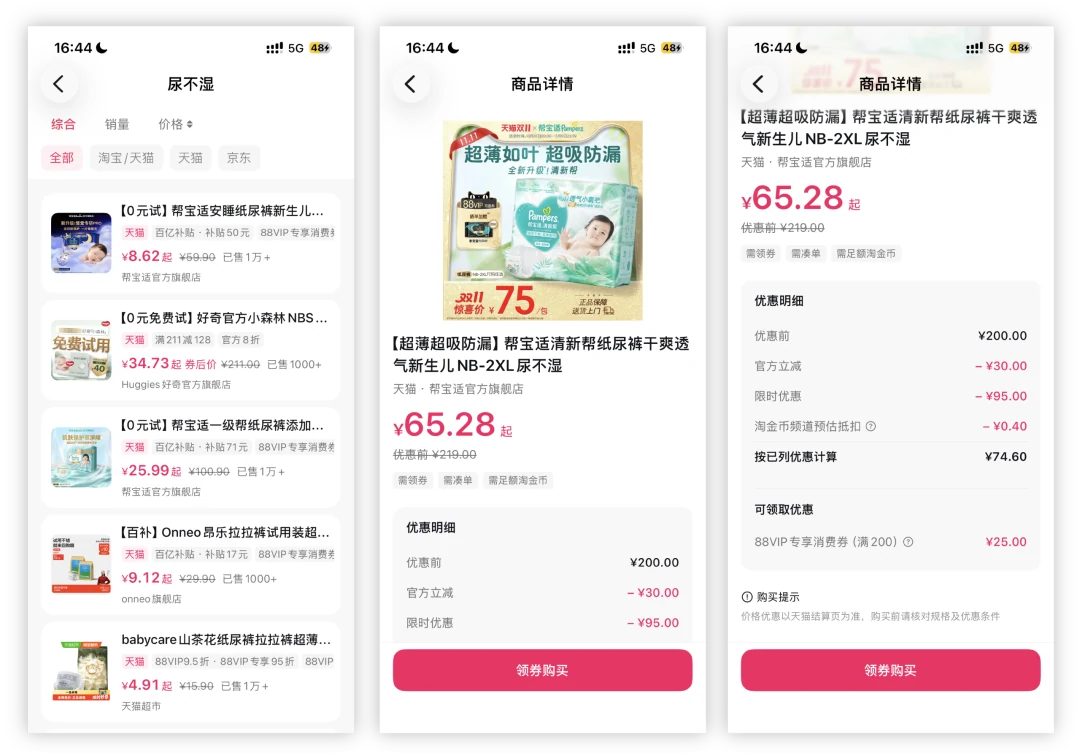
You can stop jumping between product pages or reaching for a calculator to save a few yuan. Find worthwhile offers during your commute or lunch break and make a decision faster.
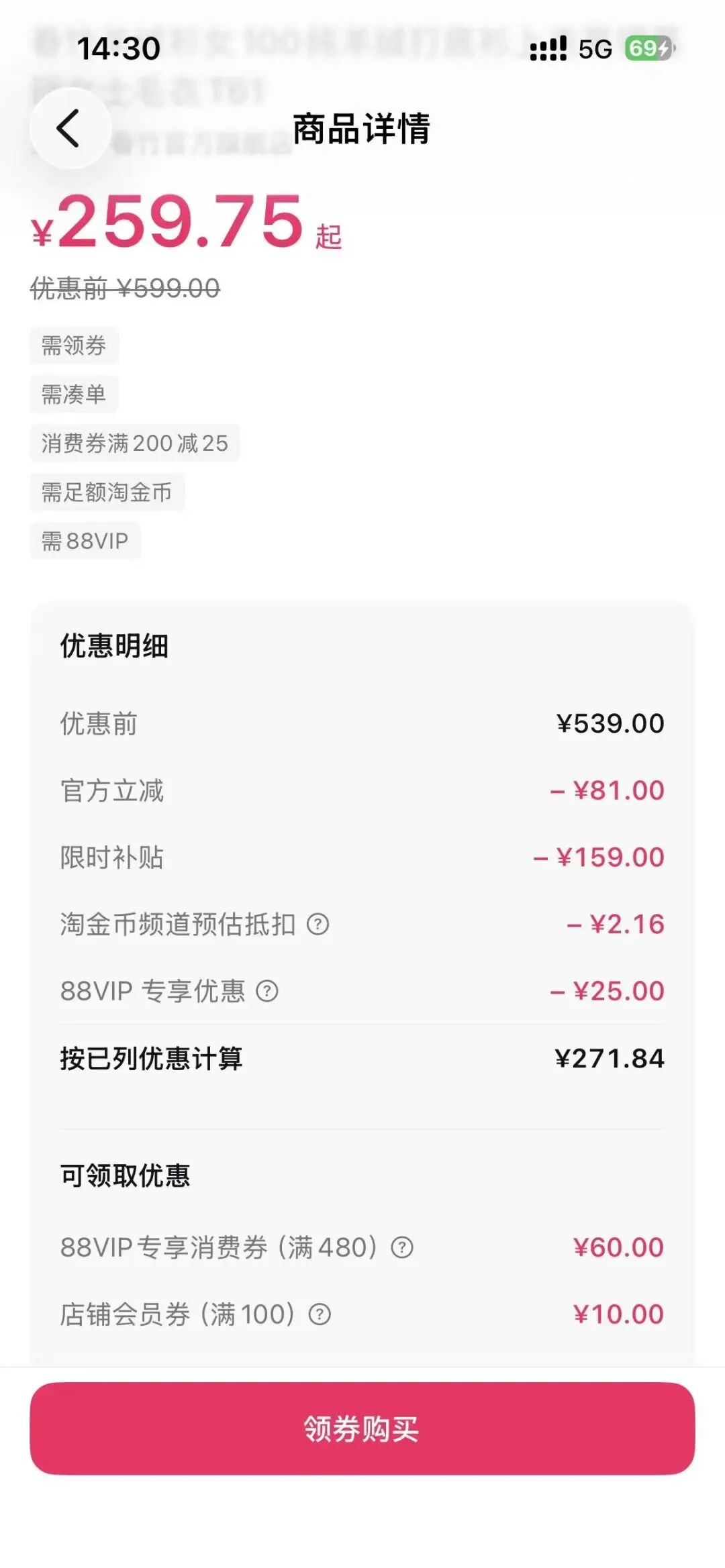
The Savings extension: Claim price protection with one click
Complicated calculations before you buy are tiring. An unexpected price drop after you buy is even more frustrating.
Most shopping platforms offer price protection: if the price falls within an eligible period, you can request a refund of the difference. But the entry point is often hidden, eligibility may last only a few days or weeks, and most shoppers cannot check every order themselves. Refunds quietly go unclaimed.
This is why we built the Savings extension.
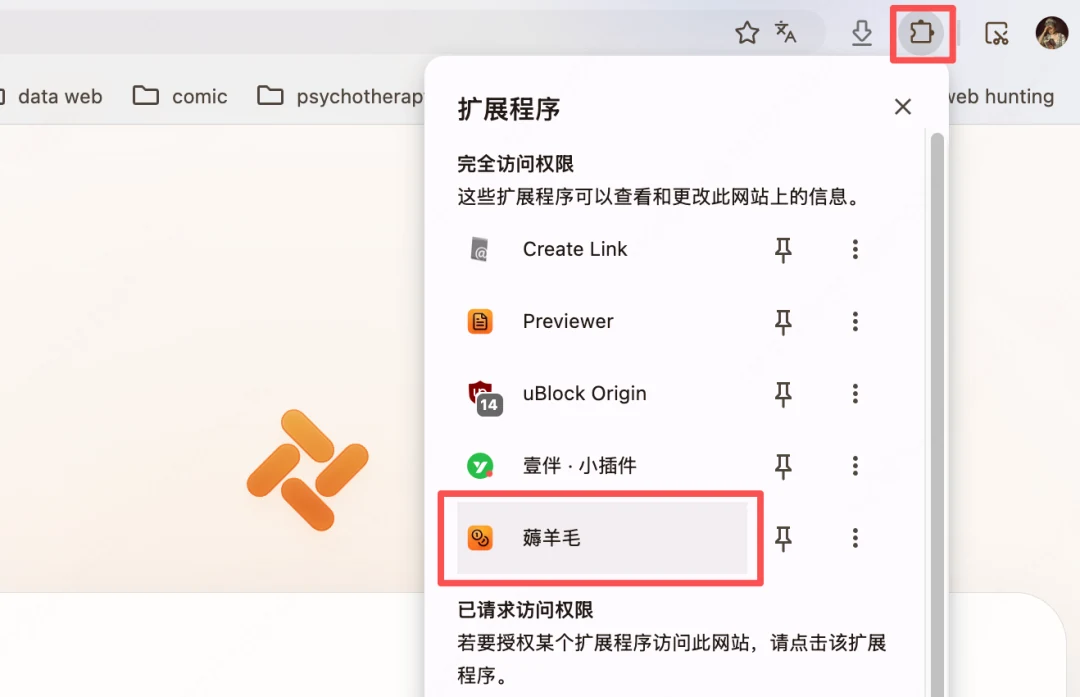
After enabling it, simply sign in to the shopping platform on your desktop. The extension periodically checks eligible purchases in the background and submits price-protection requests with one click or automatically. Both Taobao and JD.com support one-click price protection.
From detecting a price drop to receiving a refund, the process works together. Whether you bought electronics, appliances, clothing, or beauty products, placed many orders during a sale, or made a small everyday purchase, Tabbit keeps an eye on your orders and helps recover the price difference.
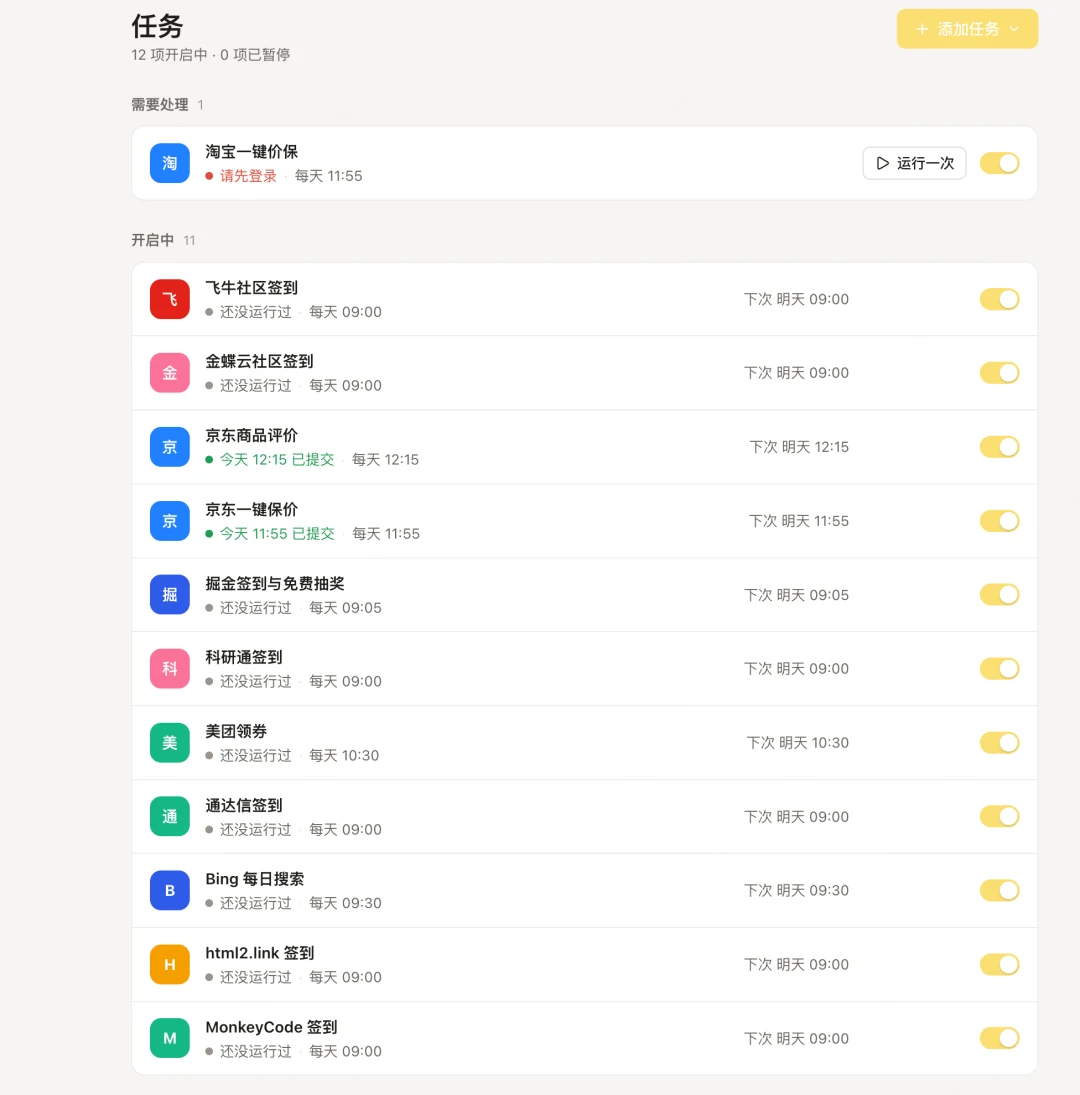
The Savings extension also offers automated tasks such as community check-ins, automatic JD.com reviews, and daily Bing searches:
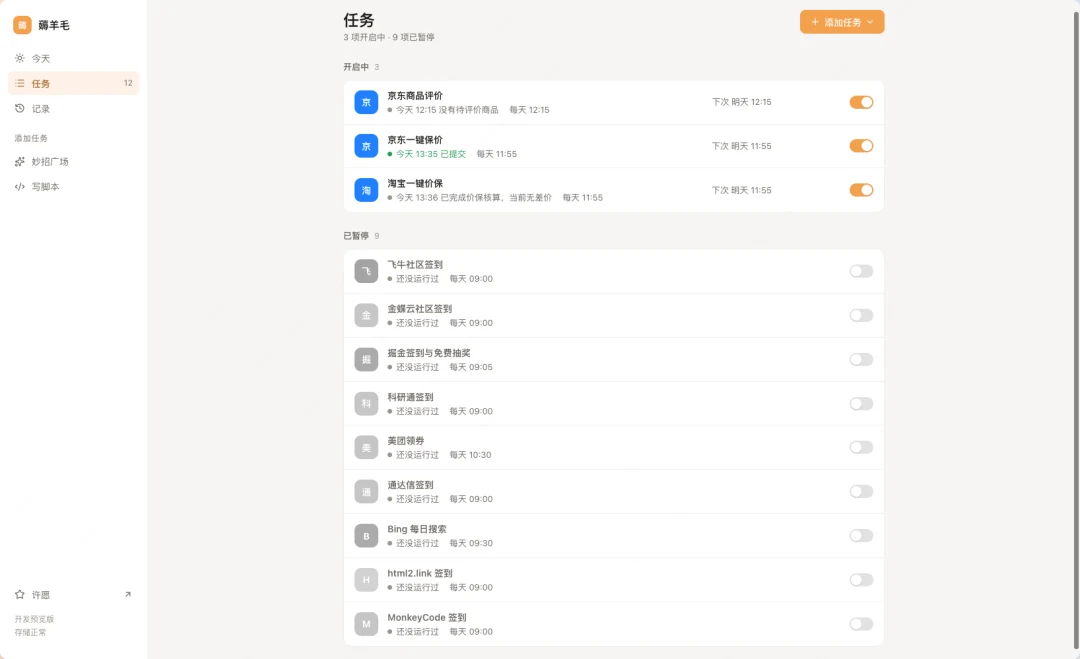
Enable the tasks that fit your routine so you never miss daily check-in points or rewards again.
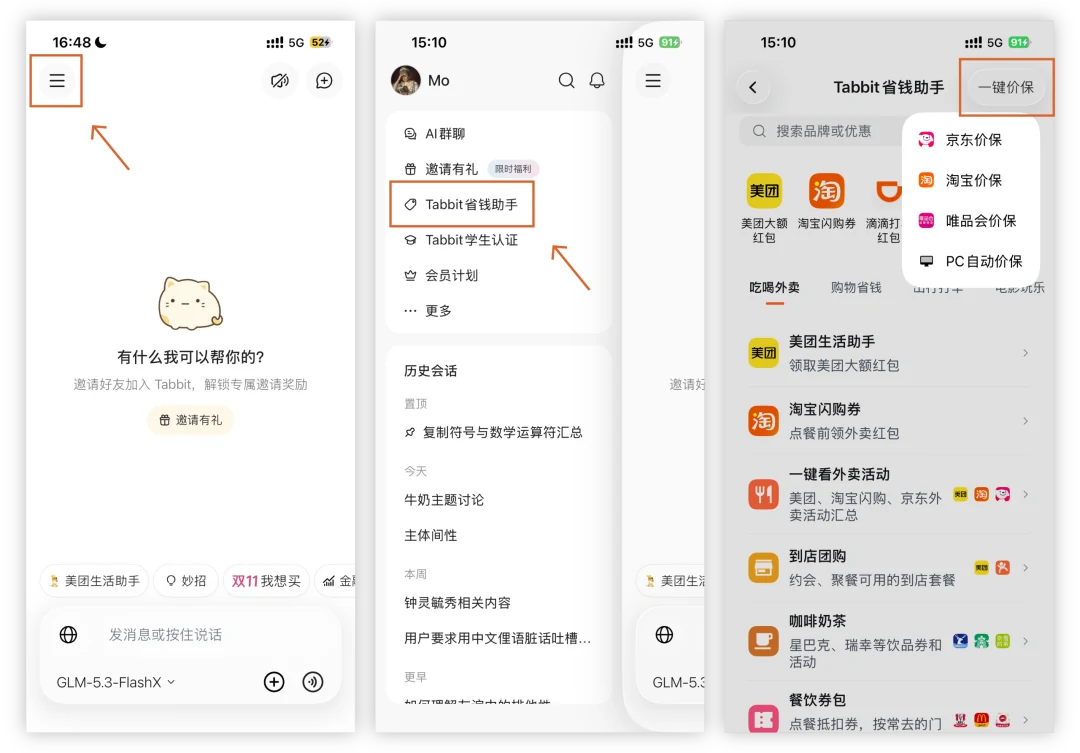
Tabbit Savings Assistant on mobile: One-click price protection on your phone
Alongside the desktop Savings extension, you can follow the mobile steps shown below to automate price-protection requests for Taobao, JD.com, and Vipshop.
Saving money should not be a burden. With the right tools, every purchase can offer both convenience and value.
The Singles' Day sale is still underway. Start enjoying a simpler shopping experience today!
On desktop, visit www.tabbit.ai to download or upgrade to version 1.20, then enable the Savings extension.
On mobile, search your app store for Tabbit and install or upgrade to version 1.2 to try the Singles' Day Shopping Assistant.
This Singles' Day, let Tabbit handle the complicated promotions. Keep the time and money you save for yourself and enjoy shopping at your own pace.
