
Tabbit desktop 1.17 continues to improve AI features, browsing, and local file handling.
Task mode can now read images in its sandbox and offers better information lookup for financial tasks. The Skill Marketplace adds categories so you can filter Skills by use case.
The browser engine upgrades to Chromium 153.0.8010.37. Smart screenshots add scrolling capture for long pages, and Local File Preview receives further improvements.
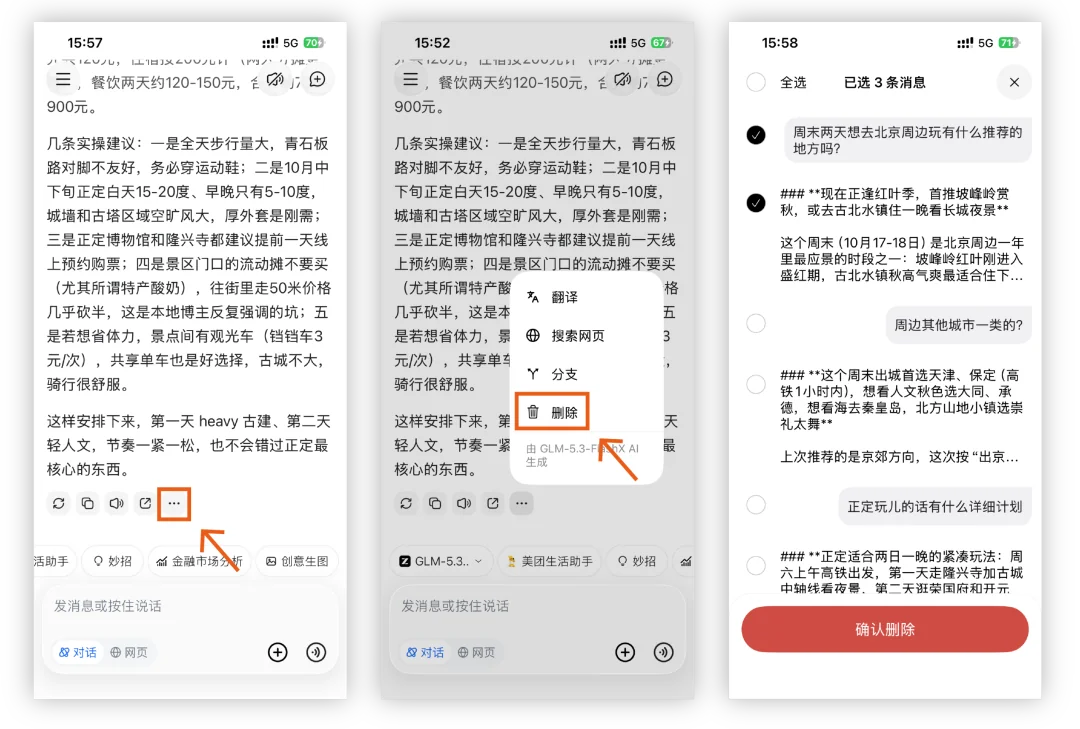
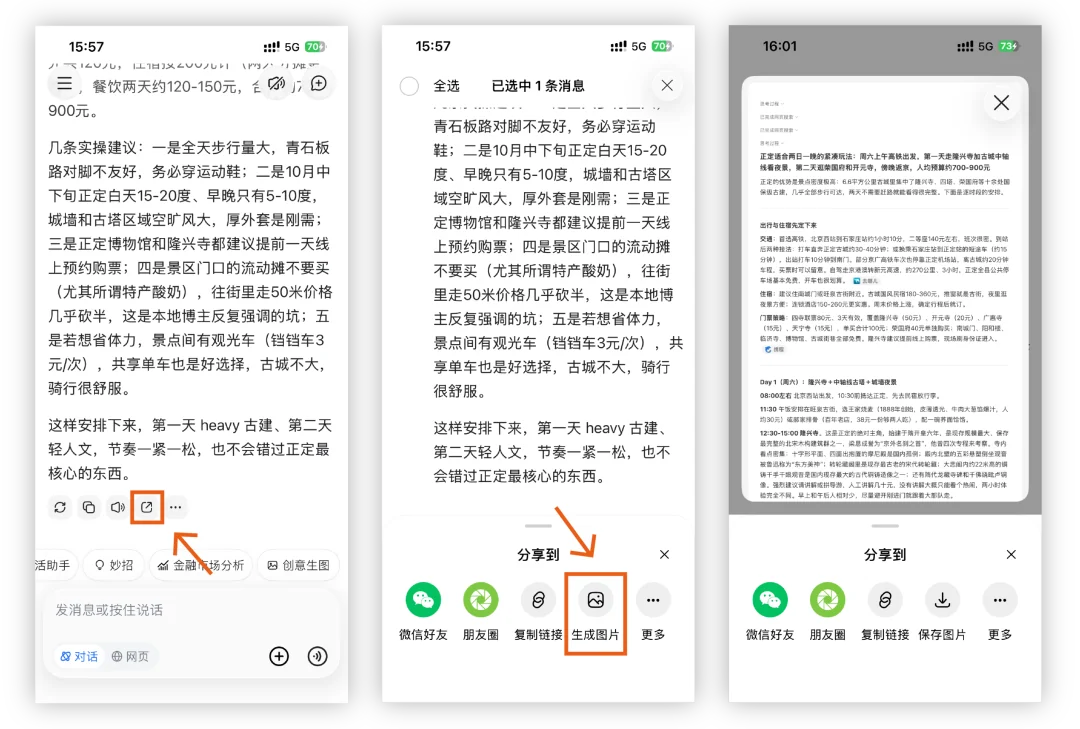
Mobile 0.52 supports chat branches, deleting individual messages, and exporting conversations as images, making chats easier to organize, save, and share.
Here is a closer look at the update:
Desktop 1.17
AI features
Task mode
Added support for reading images inside the sandbox, improving multimodal task handling.
Financial tasks gain tools for combined futures and stock queries and company announcements, with fresher, more accurate information sources.
The Skill Marketplace adds categories such as study and research, content creation, office productivity, and entertainment. Skill detail pages show their category, and creators can select a category when publishing.
Added a Tabbit CLI toggle under Settings → AI Features, allowing you to enable or disable the CLI as needed.
Core browsing
Upgraded the engine to Chromium 153.0.8010.37 for better security, web compatibility, and stability.
Smart screenshots
Added scrolling screenshots on macOS for easier capture of long pages.
Improved the confirmation shown after saving a screenshot.
Unified the appearance and light/dark themes of scrolling screenshots and the screenshot toolbar.
Fixed flashing around screen edges when starting a screenshot.
Fixed known bugs, crashes, and usability issues reported by users.
Built-in extensions
Local File Preview:
Improved the file-list sidebar.
The file list now supports moving files by drag and drop, renaming, bookmarking, and deleting.
Expanded Markdown support, including additional img attributes, syntax highlighting in previews, and Obsidian Callouts.
Source and preview panes now scroll together in Markdown split-screen editing.
Markdown syntax is protected during translation to preserve document formatting.
Hard-wrapped text is handled automatically when translating Markdown.
Translation extension:
Quick Translation receives a better layout and an increased limit of 10,000 characters.
Fixed translated content becoming invalid after following an in-page anchor link.
Mobile 0.52
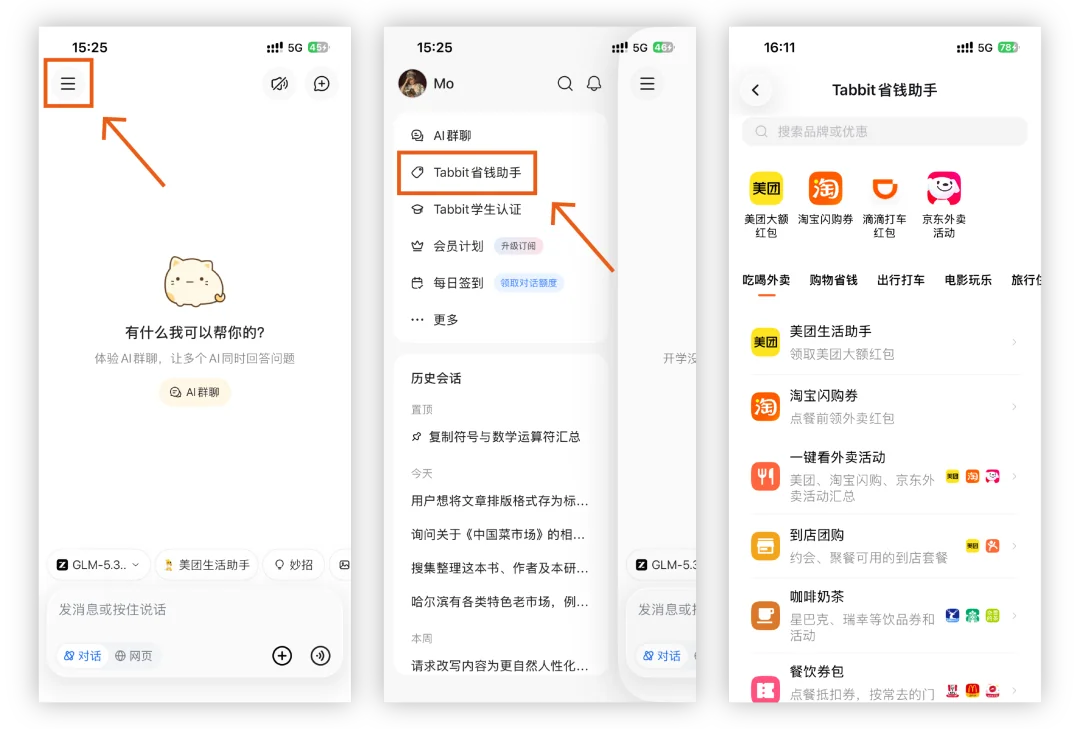
An upgraded Savings Assistant adds more offers.
Create chat branches while keeping the original conversation, or delete individual messages to organize long chats.
Export conversations as images to save or share helpful answers in one tap.
Fixed known issues to improve overall app stability.
Some improvements in this release came from feedback and suggestions from these Tabbit users:
114/*8856@qq.com Es4i/*heit9ing
ai/*el zhen/*2000@126.com
183/*5109 dab9/*ebf3
Thank you for supporting Tabbit and helping us grow.
If you have not tried Tabbit, visit www.tabbit.com or follow the original article link to download the desktop app for free.
Search for Tabbit in your app store to try the mobile app. Sign in to the same account to sync bookmarks, tabs, and other browsing data through the cloud.