No need to hunt through extension stores or worry about another removal.
uBlock Origin, or uBO, is an open-source ad blocker known for strong filtering and low resource use. It blocks video ads and popups as well as hidden cross-site tracking scripts. Widely regarded as a benchmark in ad blocking, its MV2 version offers one of the most complete filtering capabilities available—the field's gold standard.
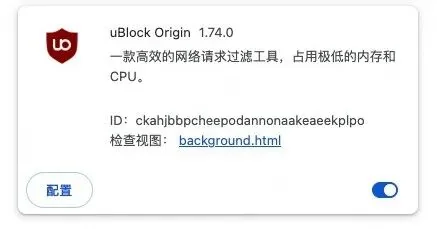
If you use uBlock Origin, the past year may sound familiar: it disappears from the Chrome store, a browser update disables it, and reinstalling reveals only a reduced Lite version. Video ads and corner popups you thought were gone start returning.
This follows the new extension specification Chrome began enforcing last year.
Previously, ad-blocking extensions could inspect and block network requests in real time. Under the new rules, extensions must submit a static, size-limited rule list in advance for the browser to execute, rather than making a live decision on each request.
The original uBlock Origin relies on hundreds of thousands of rules and real-time filtering. Because that does not fit the new static architecture, it can no longer run fully on the latest Chrome. Users have faced a choice between up-to-date Chrome without full uBO, Firefox, or a much older Chrome version.
We brought the full uBO into Tabbit
Tabbit is one of the few browsers that continues tracking Chromium updates while fully supporting the original uBlock Origin.
You do not need to search an extension store or worry that it will disappear again.
The built-in version is Raymond Hill's original uBlock Origin, without modifications. Tabbit will also deliver future updates automatically.
In the longer term, once Chromium removes the relevant underlying code entirely, it will need to be reconnected to newer engines. Our team's long-standing browser-engine experience gives us confidence in maintaining that support.
How do I use it?
Update Tabbit desktop to version 1.14, open the extensions page, find uBlock Origin under Manage Extensions → Built-in Extensions, and switch it on. That is all. It is disabled by default, the choice is yours, and browser upgrades will not change your setting.
Once enabled, filtering rules for Chinese websites take effect automatically without extra configuration.
What if I already installed it from a store?
You will see a prompt when enabling the built-in version.
Running both copies wastes resources; one is enough. We recommend keeping the built-in copy so that future updates and maintenance are handled for you.
Google cites security and performance risks in the old interfaces. How do you address them?
That concern is reasonable. Allowing arbitrary extensions to read or intercept all network requests does carry risks.
We address them through security, performance, and the scope of access:
Security: uBlock Origin has more than a decade of open-source scrutiny behind it. Our signing and distribution pipeline helps ensure the package has not been tampered with. It is also disabled by default, leaving control with you.
Performance: extension-related slowdowns are a continuing focus. Tabbit monitors client and webpage responsiveness and the built-in blocker's impact. A dedicated module also identifies third-party extensions causing broader slowdowns, alerts you, and lets you disable them in one click.
Scope: these legacy interfaces will not remain a general-purpose capability indefinitely. We plan to narrow their availability gradually to the built-in blocker.
If the benefits suit your needs and risk preferences, update Tabbit to 1.14 and try the built-in uBlock Origin to block popups and video ads.
If you have not tried Tabbit, visit www.tabbit.com or follow the original article link to download the desktop app for free.
Search for Tabbit in your app store to try the mobile app. Sign in to the same account to sync bookmarks, tabs, and other browsing data through the cloud.