
Tabbit's invite-a-friend Pro rewards program is live!
Share Tabbit with a new friend who has not previously downloaded and registered for Tabbit desktop. Once they sign in on desktop and complete one AI conversation, both of you can unlock Tabbit Pro benefits.
You can keep earning additional membership time when your friend later purchases or renews Pro.
Open the following links in Tabbit desktop to find your invitation code and the full program rules and benefits.
Mainland China edition:
https://web.tabbit.com/activity/invite
International edition:
https://web.tabbit.ai/activity/invite
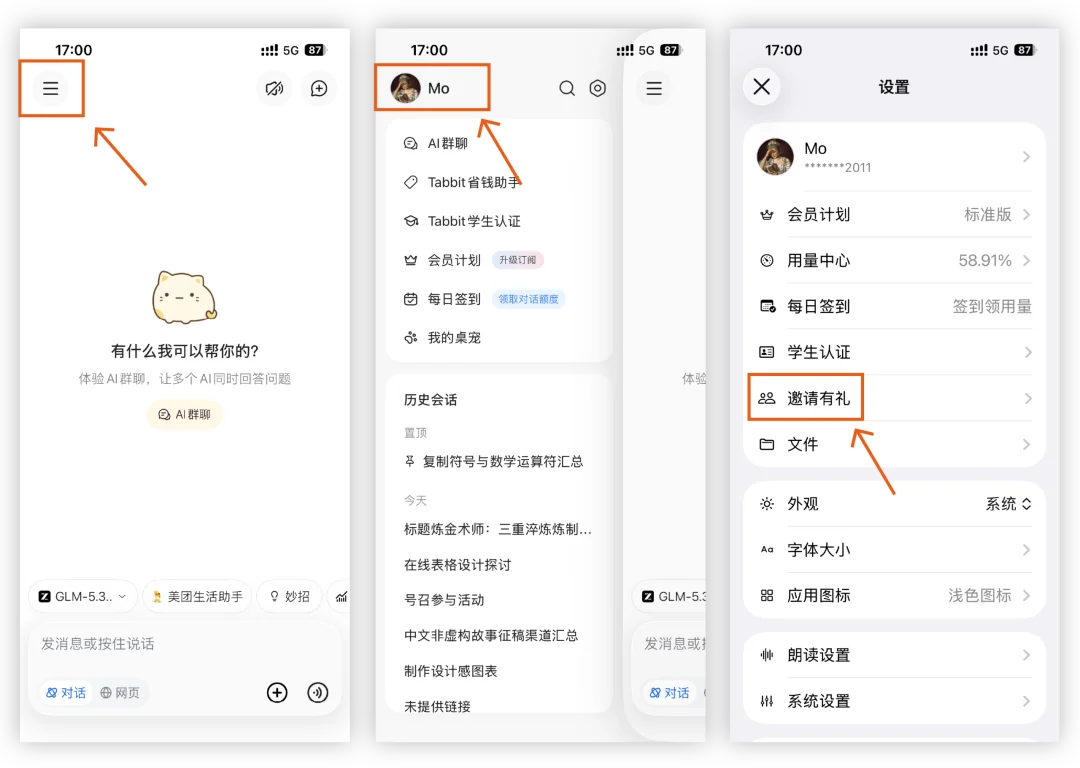
Mainland China edition users can also share links from Tabbit mobile. Friends may register and sign in on mobile, but must complete the qualifying AI conversation on desktop.
Rewards at a glance
The program has three reward types: first-use rewards, first-purchase rewards, and ongoing renewal rewards. Rewards can accumulate without an overall cap, subject to the detailed rules below.
First-use reward: after your friend registers and completes one valid AI conversation on desktop, both parties receive 3 days of Pro if the inviter is a standard or trial user, or 5 days each if the inviter is a paying Pro subscriber.
First-purchase reward: when your friend successfully pays for Pro for the first time, you receive another 7 days of Pro. Your friend receives the benefits of the plan they purchase.
Ongoing renewal reward: each qualifying Pro renewal by your friend earns you another 7 days of Pro. Your friend receives the benefits of the renewed plan.
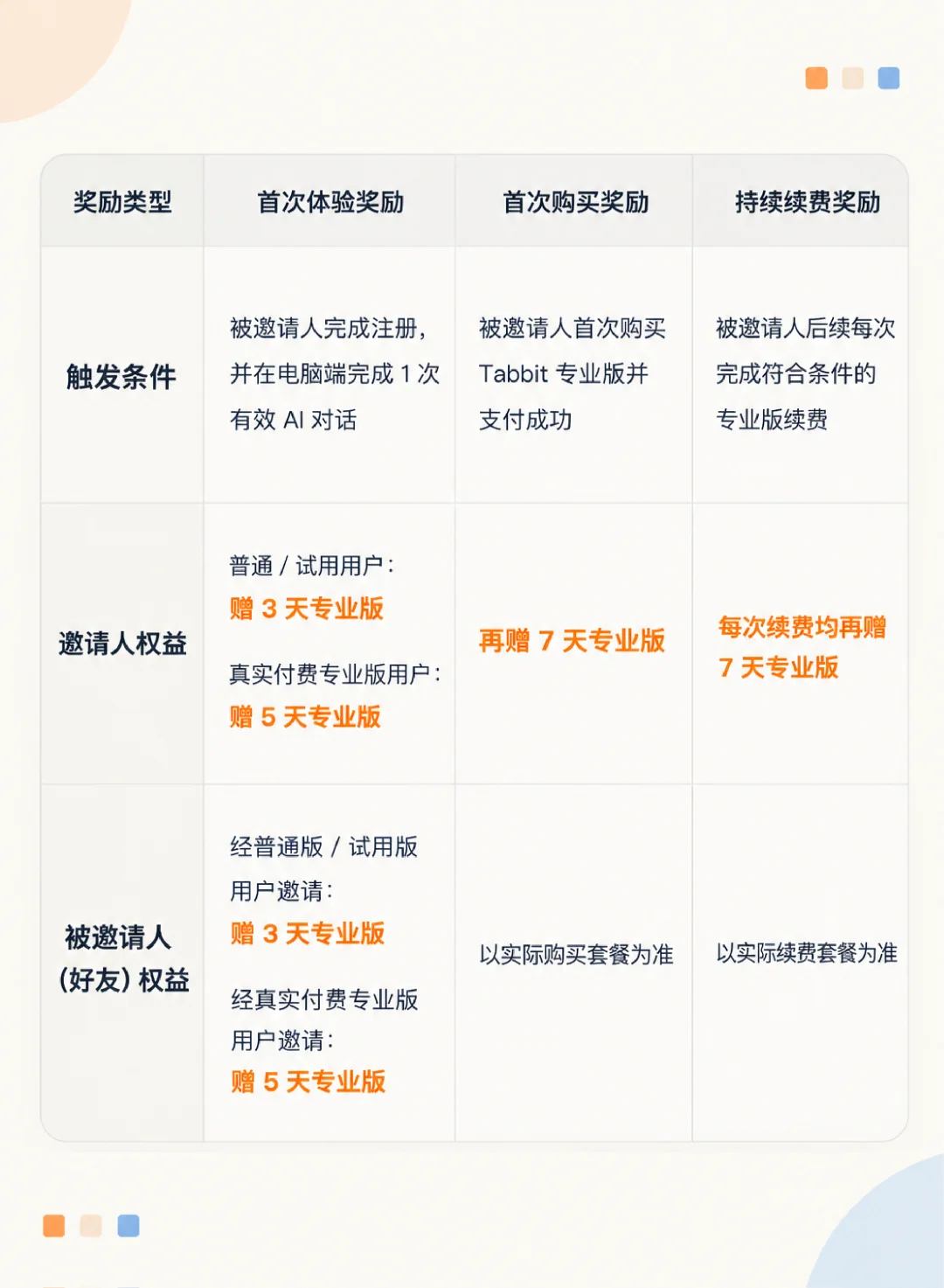
Note: reward tiers depend on the inviter's plan as confirmed by the system when the friend verifies their account. Pro benefits earned through this program are valid for 30 calendar days from issuance; claim and use them promptly.
Four steps to unlock Pro
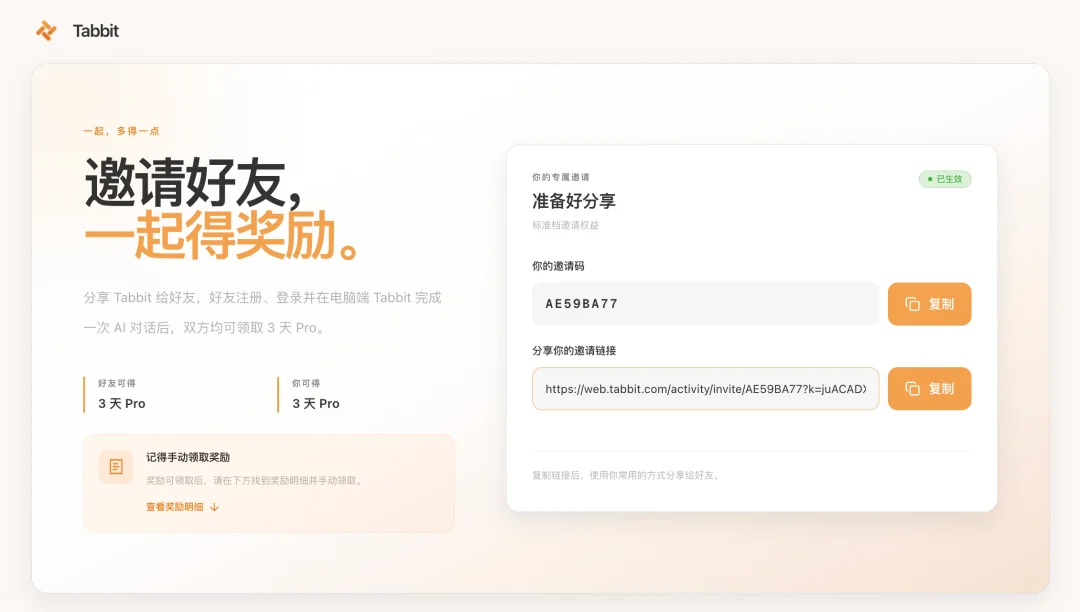
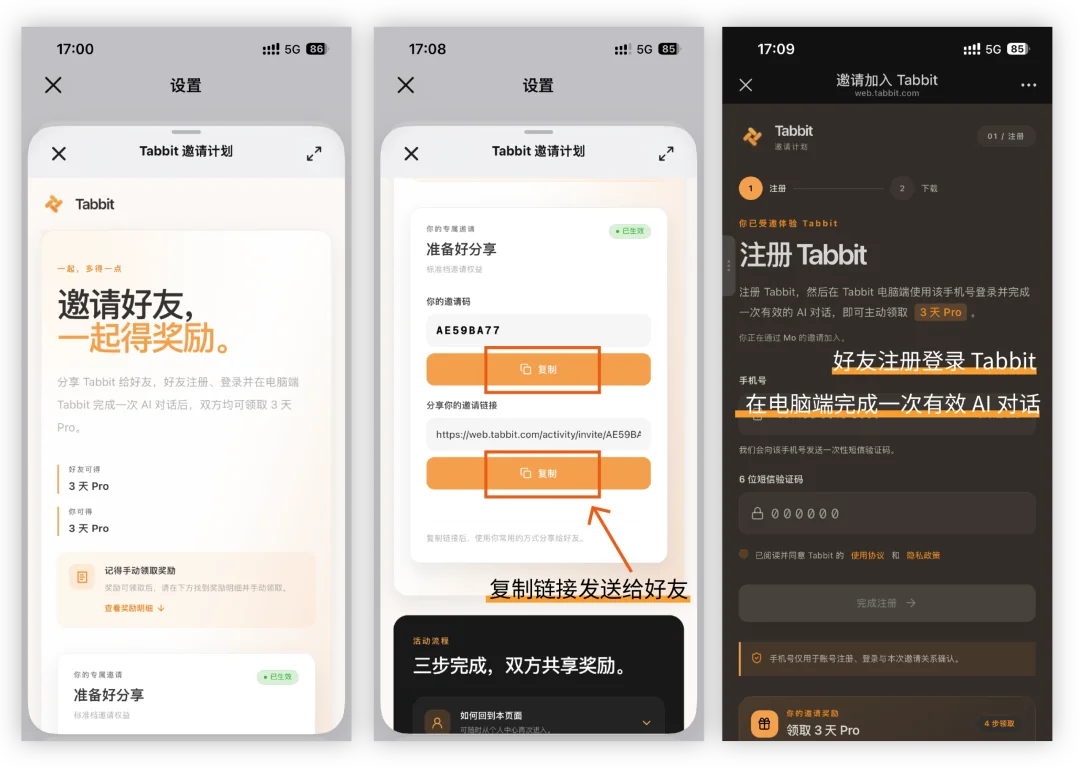
01 Get your invitation: visit the program page, copy your personal invitation link or code, and send it to a friend.
02 Your friend registers and verifies: they create and verify a Tabbit account using the invitation link or code.
03 Complete the desktop trial: your friend signs in to Tabbit desktop, sends at least one message in any conversation, and receives a normal reply from Tabbit, completing one valid AI interaction.
04 Claim after review: once the system approves the activity, usually within one working day, both parties return to the rewards list and click Claim to activate Pro.
Rules and frequently asked questions
1. Who can participate?
Inviters: account holders in either Tabbit edition who have not been disqualified for cheating or abuse. Each inviter may successfully invite up to 10 new users every 30 days.
Invitees: eligible new users who have not previously registered or signed in to Tabbit desktop. Existing accounts with login activity in the past 90 days do not qualify as new users.
2. Can users invite across the Mainland China and international editions?
No. The two programs operate independently.
Mainland China invitation links apply only to new Mainland China edition users; international links apply only to new international edition users.
Cross-edition invitations cannot establish a referral relationship or generate rewards. Check that both parties use the same edition before sharing.
3. Why is my invitation code invalid, or why does linking fail?
Common reasons include:
Your friend is using the wrong edition, such as entering a Mainland China code in the international edition.
Their account has already signed in to Tabbit desktop and does not qualify as new.
They did not use the same account when moving from mobile registration to desktop login.
The code has reached its usage limit or is in an abnormal state.
4. Other questions and feedback channels
For questions about eligibility, review status, or benefit delivery, submit feedback in the Tabbit app:
Desktop: Settings → About Tabbit Browser → Feedback.
Mobile, Mainland China edition only: Settings → Feedback and Complaints → Suggestions.
Eligibility, reward tiers, and issuance status are determined by the program page and system review results.
Invite a friend and enjoy Tabbit Pro's features together.
Copy the following link into Tabbit desktop to open the program page and start browsing more efficiently together.
Mainland China edition:
https://web.tabbit.com/activity/invite
International edition: