



Tabbit has shipped major updates across desktop and mobile, with several substantial new features.
The desktop app 1.11 upgrades the browser kernel to Chromium 151, which brings stronger security protection and smoother web page rendering experience. At the same time, the Task Mode adds the ability to independently select models, supports flexible switching between GLM-5.3-Flash, Kimi-K3 and other models, and adds practical functions such as a new entrance to the Student Hub and one-click download of multiple files.
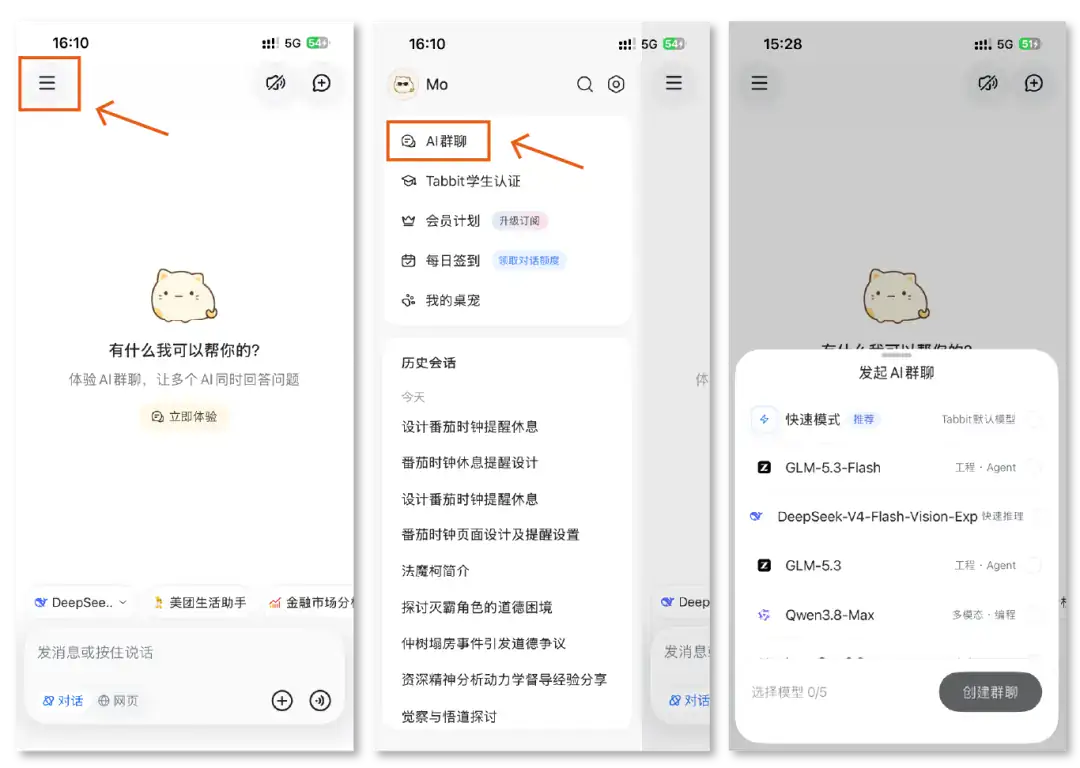
Tabbit Mobile 0.47 introduces group chats where multiple models can collaborate in one conversation, adds image-to-image generation, and brings Student Hub benefits to mobile.
Let’s take a look at the detailed updates:
▍PC version 1.11
The browser kernel reaches Chromium version 151. The new kernel brings:
- Strengthen protection against malicious web pages and abnormal content to improve browser security;
- Optimize the display effects of special symbols, animations, web applications and other web pages;
- Optimize the authorization process for the website’s camera and microphone;
- Improve the recognition effect of auxiliary functions on web page operation buttons;
- Note: This version no longer supports macOS 12 system, macOS 13 or higher is required;
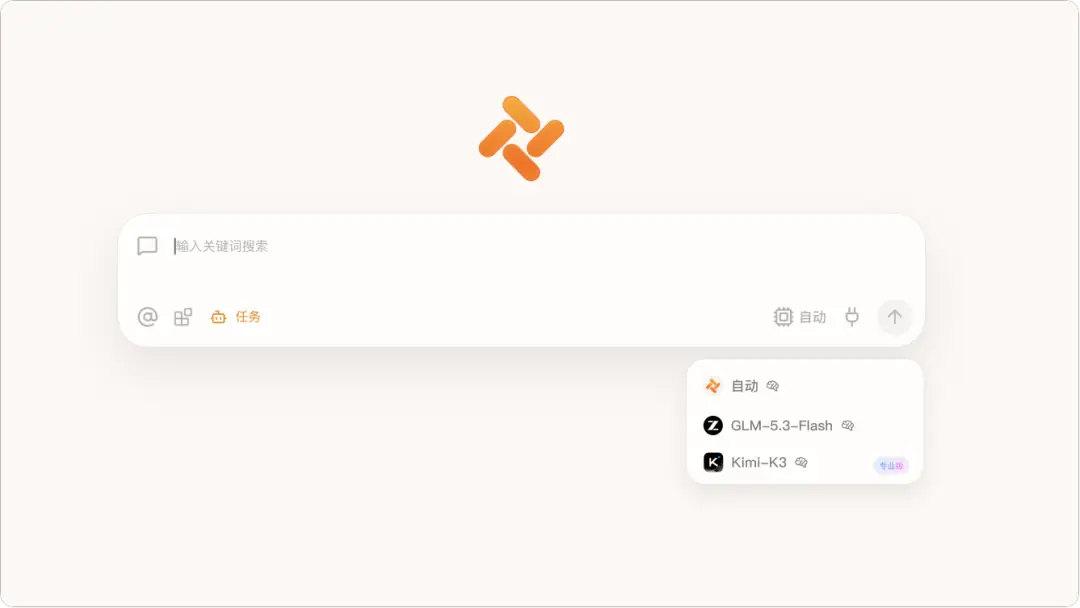
Mission mode supports independent model selection. Currently, the available models are: automatic (currently GLM-5V-Turbo), GLM-5.3-Flash, and Kimi-K3. More models will be opened in the future;
The latest GLM-5.3-Flash model has been launched, supporting dialogue and Task Modes;

The "User Center" in the upper right corner of the browser has a new "Student Hub" entrance. Click to quickly go directly to the Student Hub;

Task Mode supports the one-click download function of multiple generated files. When multiple files are generated in the conversation, they can be downloaded all at once;
Optimized the experience of using various Skills:
-The script file generated by the "Generate Web Page Script" Skill can be directly executed, copied, or saved as a Skill;
- The "In-depth Research" tip supports generating Markdown text and HTML reports at the same time;
The printing capability of local files has been further improved;
- Pictures support printing after retaining editing effects such as rotation and flipping;
- HTML files support printing the currently edited content;
- PDF files support printing of all pages;
-Office files can prepare complete printing content according to the document type;
Fixed other known issues.
▍Mobile version 0.47
Added a new group chat function to support bringing multiple models into the group chat for dialogue;
Added picture generation function, which can generate new creative pictures based on existing pictures;
A new Student Hub has been added. After passing the student certification, you can enjoy exclusive benefits such as 30-day Pro membership experience, student Skills bundle, limited desktop pets and decorations;
Optimized prompts and task tips, and improved the experience of using "Meituan Life Assistant" tips;
Optimized the display effect of the model thinking process, making the information clearer;
Optimized the interface design and interactive experience of the sidebar;
Fixed some known issues and improved application fluency and stability.
Some optimizations and improvements in this update are based on feedback and suggestions from the following Tabbit users:
131/*3751 183/*3402
158/*8887 924/*667@qq.com
pen/*ming123@outlook.com
Thank you all for supporting Tabbit and continuing to witness Tabbit’s growth.
For those who have not tried Tabbit, you can visit the official website www.tabbit.com or click "Read the original text" to download the desktop app for free and try it out. To experience Tabbit on mobile, you can search for "Tabbit" in various app stores and download it. Log in to the same account, and your bookmarks, tabs, and other browsing data can be synchronized in the cloud.