
As we enter mid-to-late May, many soon-to-graduate students are facing the final and most important assessment of their student years: the thesis defense.
Today we recommend several Skill tools that can help you handle your thesis defense more effectively. Copy the links below and open them in the Tabbit browser to add them.
01 Paper-to-Defense PPT Generator:
Extract and refine the research results from your paper, turning your thesis into a complete content plan for your defense PPT.
https://web.tabbit-ai.com/share/skill/8cuGbXjqpn
02 Defense Script and Rehearsal Advisor:
Generate a draft defense script for me and simulate tough follow-up questions from advisors, the sharper the better.
https://web.tabbit-ai.com/share/skill/tCdupv3Cc5
03 Defense Backup Kit:
Tell it how much time remains before your defense, and it will help you handle all the easily overlooked but critical details in preparation, including academic standards checks, expression polishing, emergency phrasing, on-site presentation advice, and more.
https://web.tabbit-ai.com/share/skill/eaaGkiUhmV
Next, let's see how these Skills work:
▌ 01 Paper-to-Defense PPT Generator:
This Skill helps you clarify your paper structure and writing logic, refine your research results, and make the entire defense presentation clearer, easier to follow, and more focused.
Just use / to bring up Skills and @-reference your paper PDF:
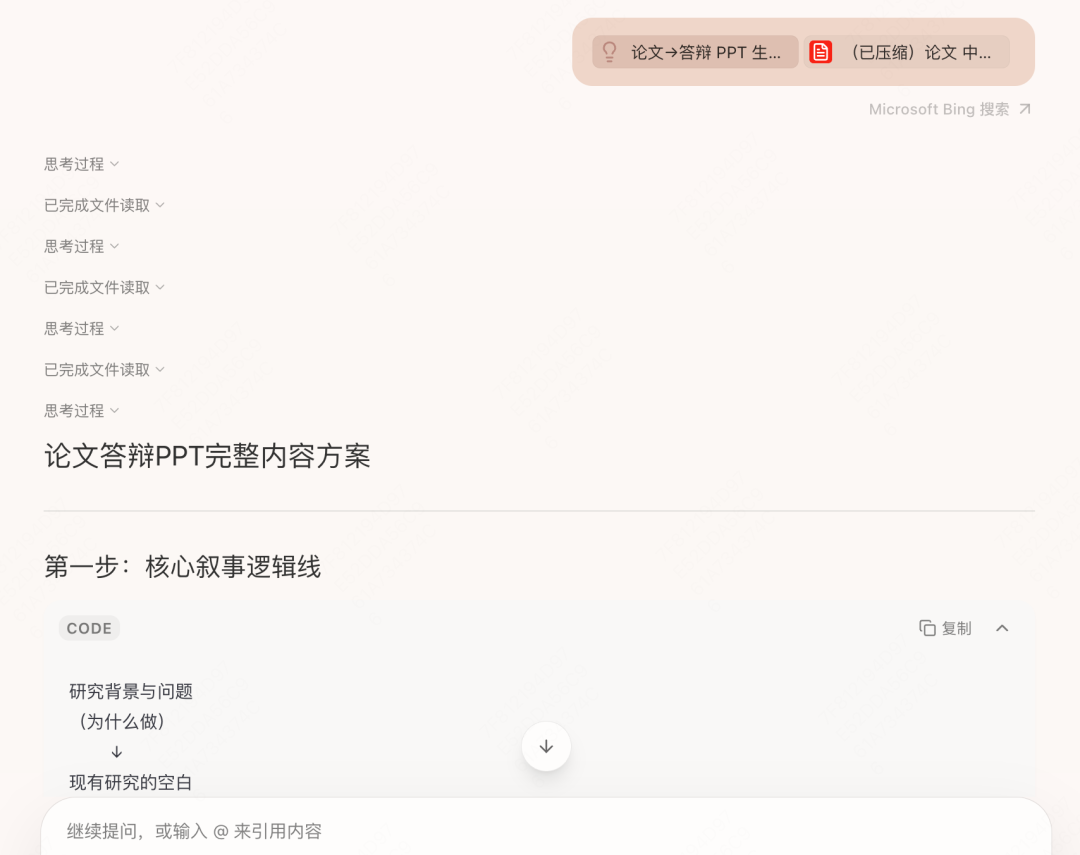
It can automatically extract key content such as your abstract, table of contents, and core research results, then plan a complete PPT structure for you.
It helps you distill the most important arguments from complex research content and arrange them page by page according to the classic logic of background introduction, problem statement, research method, key findings, conclusion, and outlook, ensuring each page has a clear narrative purpose rather than simply piling up text.
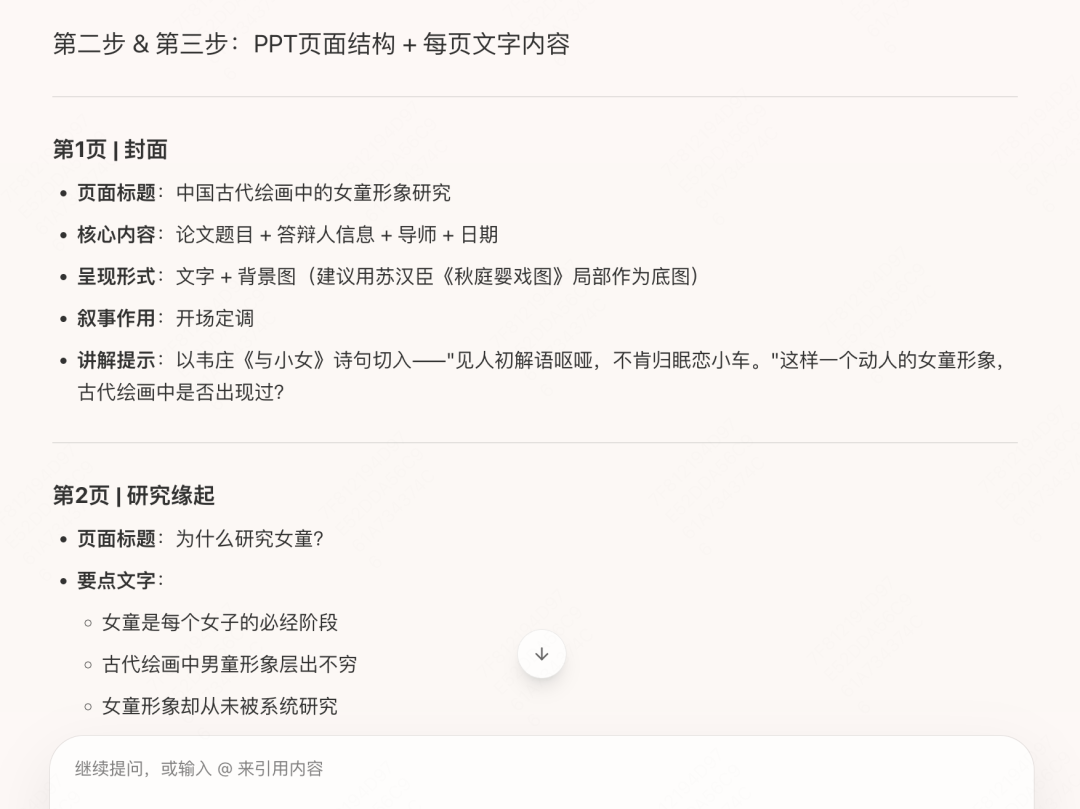
Finally, it generates a full defense PPT structure, specifying the total number of pages, what text goes on each page, the purpose of each page, and how to present the content more clearly. Preview: in next week's update, we will launch the ability to generate PPT files directly. We welcome everyone to try it.
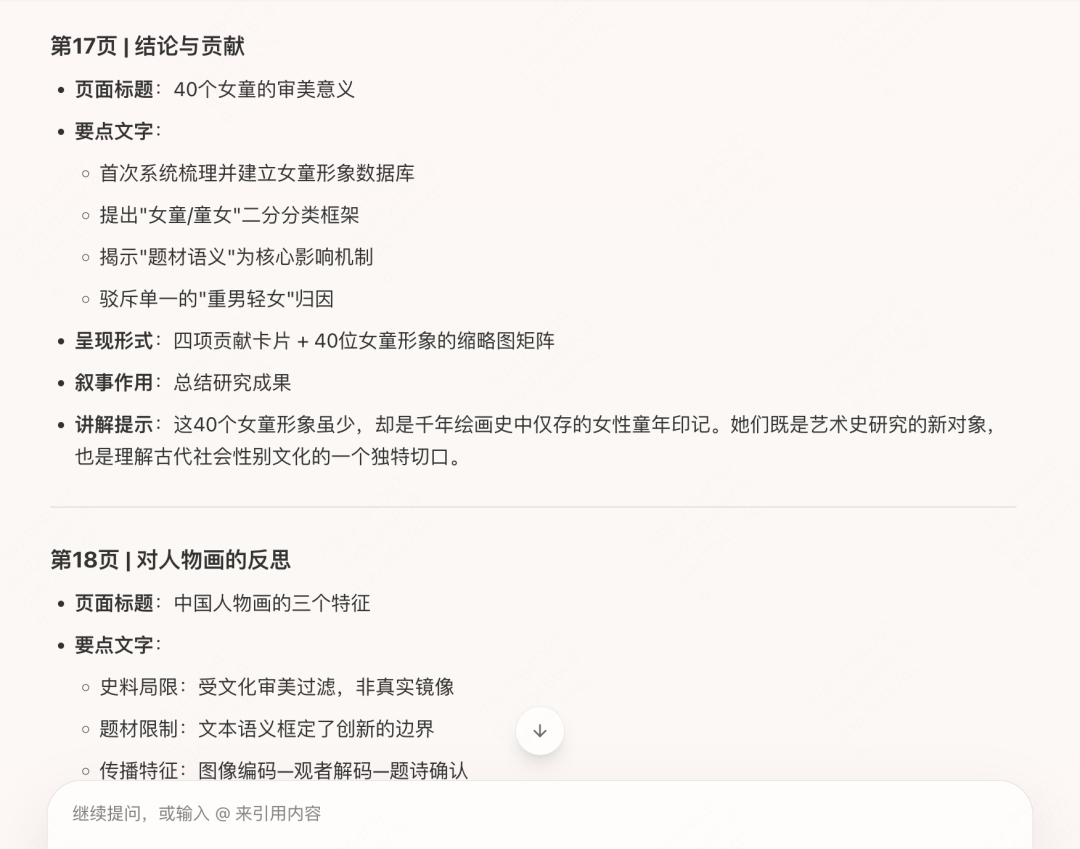
With this structural blueprint, your defense presentation will be logical and well organized from the start.
▌ 02 Defense Script and Rehearsal Advisor:
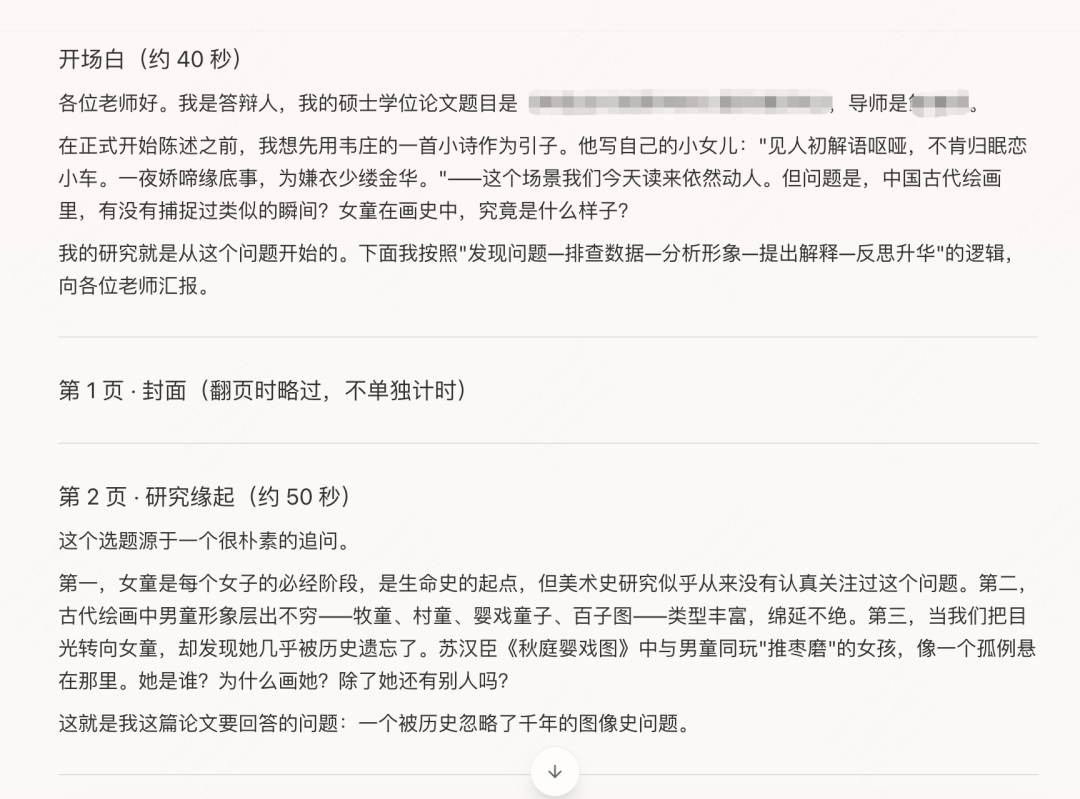
Reference your PPT file and paper, and tell it each defense committee member's research direction and academic background. It will consider teachers from different fields and perspectives to write the corresponding script outline.
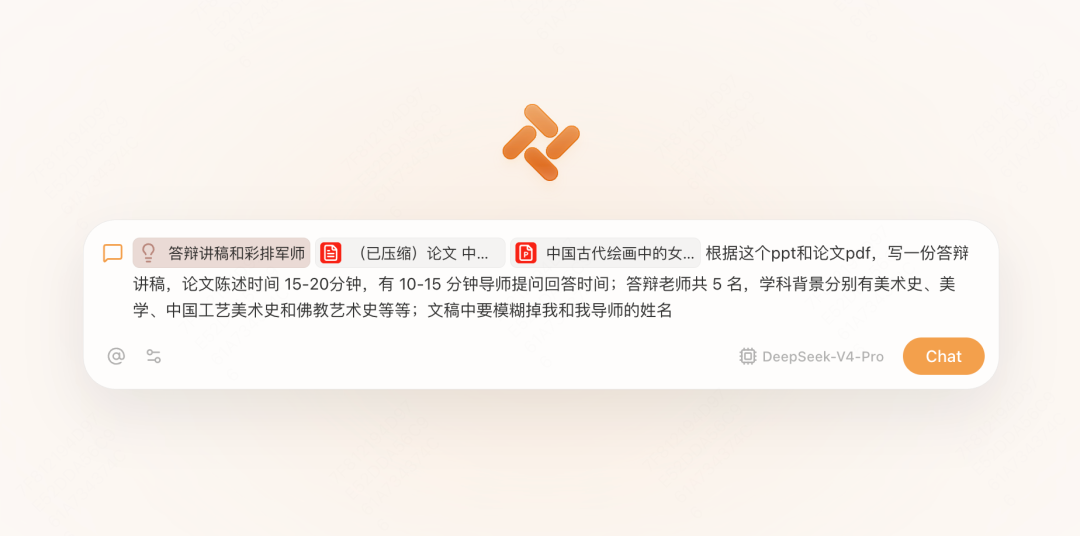
It preserves academic professionalism while keeping the language accessible and a little humorous. It also simulates advisor questions and suggests response strategies so you can prepare fully. You can add your own style based on the draft it provides.
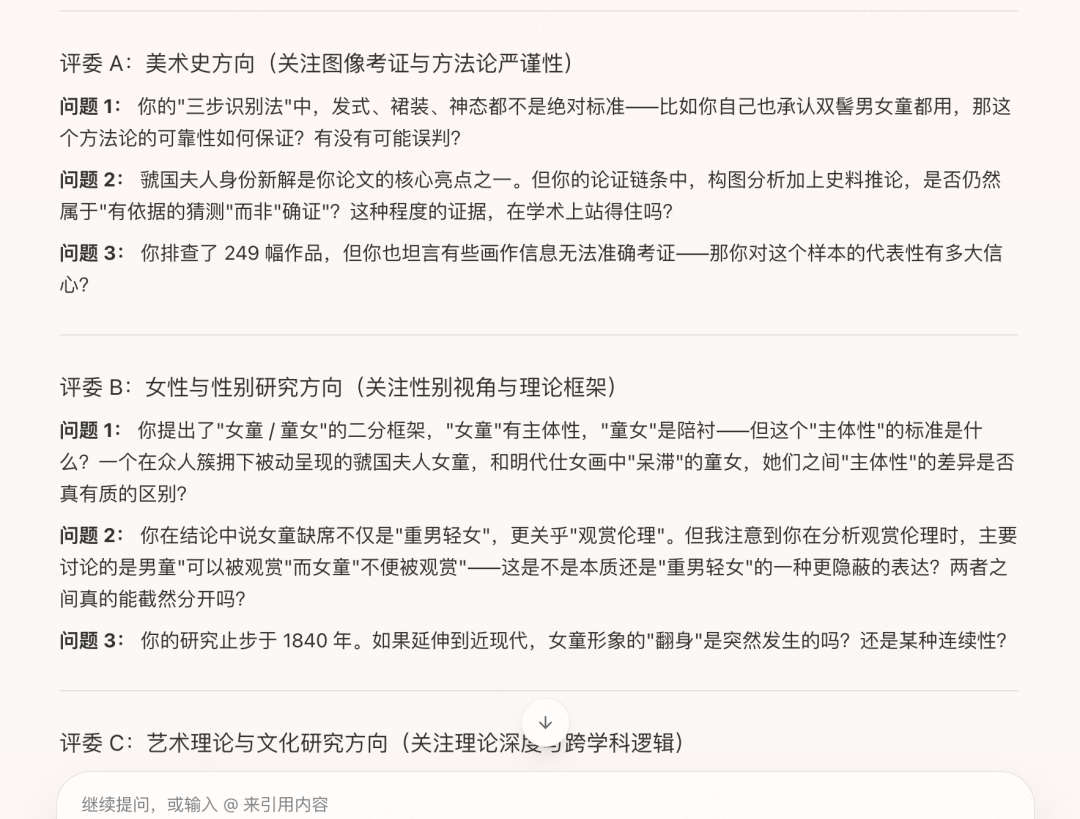
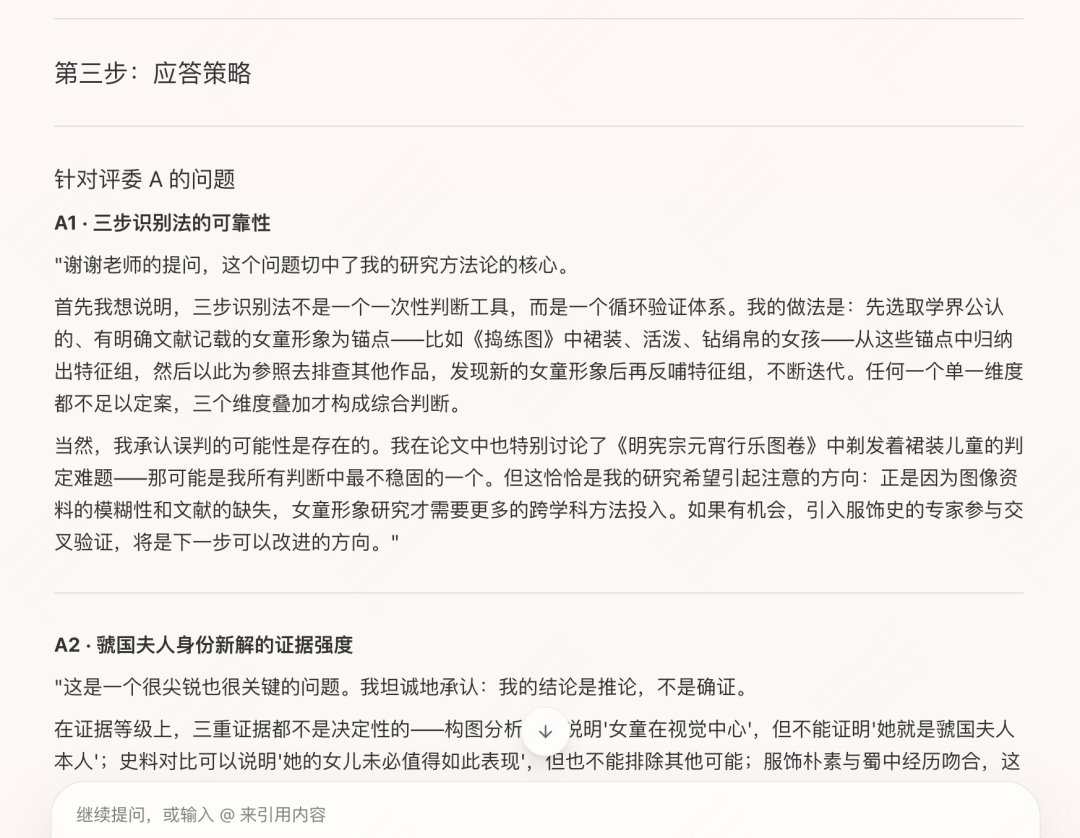
During the mock Q&A stage, AI will also identify weak points in your paper and common defense pitfalls, then compile a list of high-frequency tough questions, such as why you chose this research method rather than another, whether the sample size is sufficient to support your conclusions, and how externally valid the conclusion is. For each question, it provides a well-reasoned response path that leaves room to maneuver. Practice with this list repeatedly, and you can respond calmly on stage instead of being thrown off by unexpected follow-ups.
▌ 03 Defense Backup Kit:
The final checklist helps you fill gaps, from thesis format checks and related-material checks to details such as posture, clothing, and gestures on site, so you can complete your final preparation.
When only a few days remain before the defense, many students focus entirely on the content itself and may overlook the final details that make the last step work.
At this point, you can ask Tabbit to generate a personalized pre-defense checklist. On academic standards, it will remind you to check whether citation formats are consistent, whether figure and table numbers match in-text references, whether data matches the original paper, and whether the PPT contains typos or ambiguous wording, helping prevent small oversights from leaving an impression of carelessness on the committee.
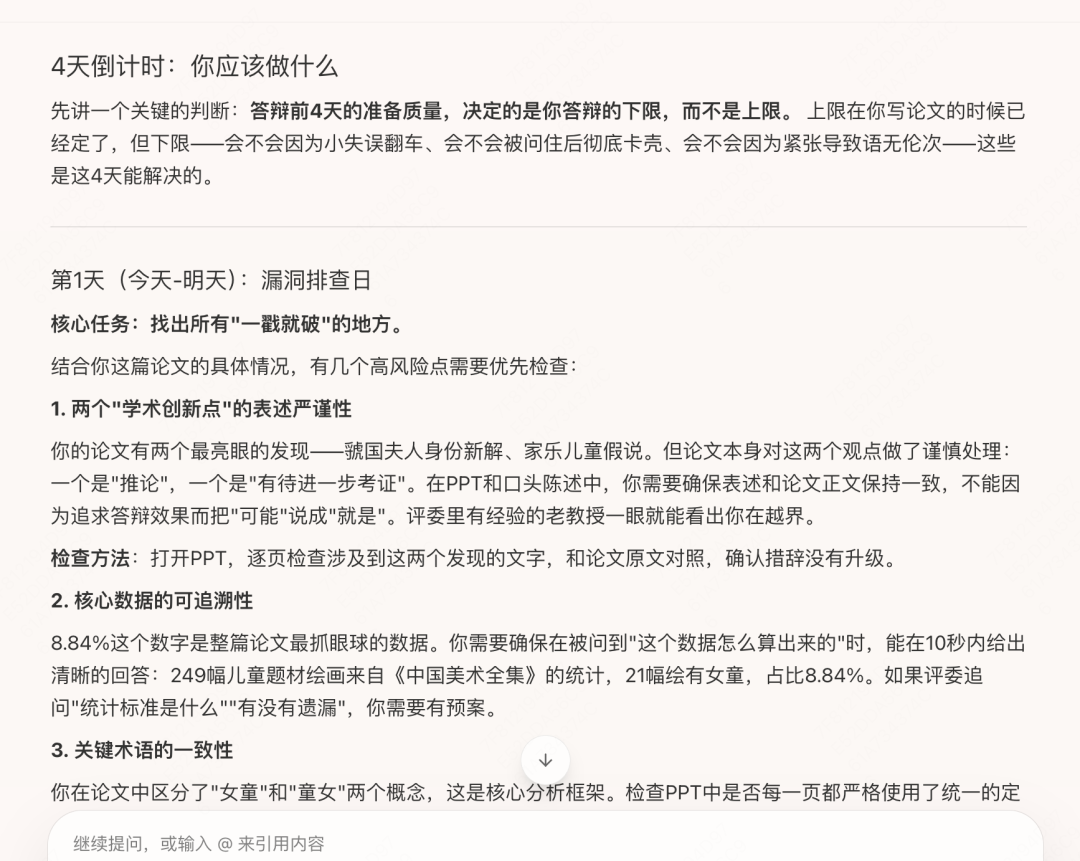
For on-site presentation, it provides soft-skill prompts: whether the opening is natural and confident, whether timing has been rehearsed, how your gaze should move when facing the committee, how to politely buy thinking time when you encounter an uncertain question without looking flustered, and even whether your outfit matches the norms of your school and major.
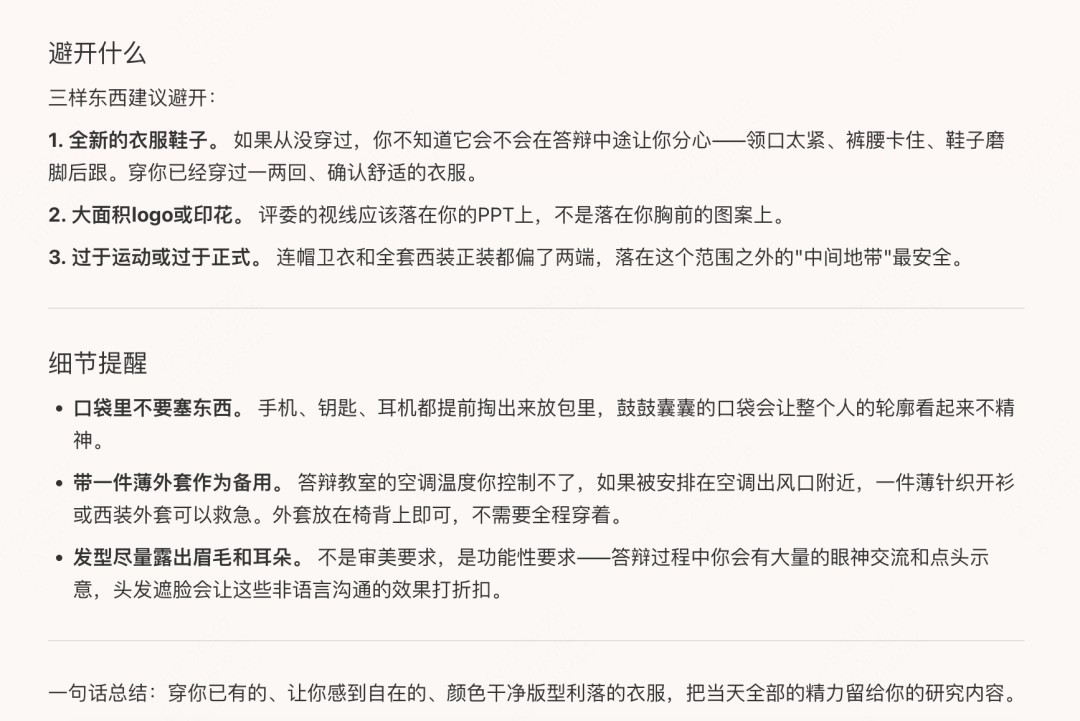
These seemingly minor preparations are exactly what separates stable on-site performance from mistakes at critical moments.
That is all for today. We wish every student a smooth defense.
If you have already passed your defense, congratulations, and you are also welcome to take a look at our campus co-creation recruitment program.
If you have not tried Tabbit yet, visit www.tabbit.ai or click Read the Original to enter the official site and download it for free.