
Tabbit Browser 0.29 is officially released. This update supports more personalization so Tabbit better fits your habits.
For example, the homepage can pin common sites, conversation titles can be edited for easier organization, the sidebar recommends frequently used Skills, and the vertical tab bar can switch among fully expanded, icon-only, and fully hidden states.
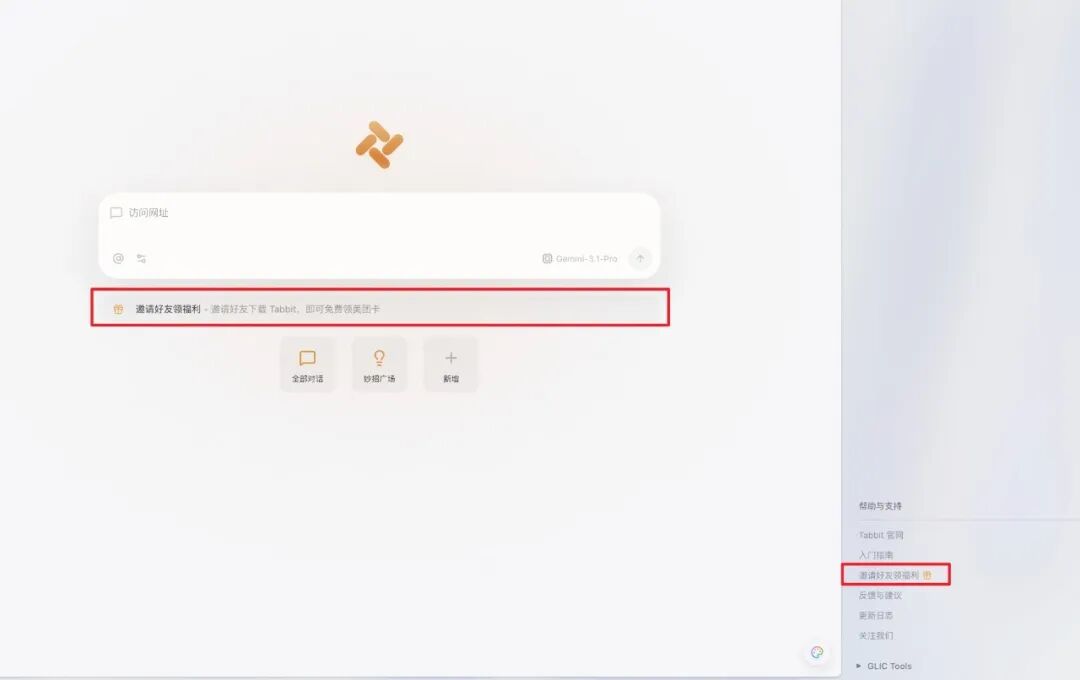
The invite-friends rewards campaign is also ongoing, so bring friends to try it. Now let’s look at the details:
Referral rewards are live. Invite five friends to download and register Tabbit Browser to receive a RMB 30 Meituan card.
Homepage shortcuts are added so common websites can be pinned for one-click access. Enable or disable this in the “Customize Tabbit” panel at the lower-right of the homepage.
Conversation titles can now be edited for easier organization and recognition of history.
The chat sidebar adds Skill Recommendations. Tabbit remembers users’ favorite Skills and intelligently recommends useful Skills from the marketplace.
Vertical tab bar experience upgraded: hidden mode is back. Drag the vertical tab bar to switch among fully expanded, icon-only, and fully hidden states.
Optimized pinned-tab icon style.
Optimized close-button logic in icon-only mode to avoid accidental clicks.
Scheduled tasks now have an entry from the avatar in the upper-right corner of the browser.
Improved bookmark bar display settings. Right-click the bookmark bar or go to Settings - Appearance to choose always show, show only on new tabs, or never show.
Mouse gestures now include localized hints to improve discoverability and usability.
Improved sidebar animation toggle effects on macOS devices.
Fixed vertical tab bar crashes and interaction issues in some cases.
Fixed abnormal frosted-glass display in some cases.
Some optimizations in this update came from feedback and suggestions from the following Tabbit users:
libiy2, Hancui Hancui, Heye Ruoqi, Taoqi de Xiaohai, 26 Dianzheng, A Shi Dingding
41\*765@qq.com dv\*eng@sina.com
hi\*ach@163.com zh\*000@126.com
ke\*iii@qq.com 58\*323@qq.com
yl\*000@163.com mu\*e10@foxmail.com
ma\*ovv@gmail.com li\*045@gmail.com
85\*052@qq.com 44\*813@qq.com
10\*126@qq.com 91\*278@qq.com
ho\*1ce@outlook.com me\*ine@foxmail.com
27\*615@qq.com 35\*582@qq.com
pe\*123@outlook.com qz\*cfr@outlook.com
37\*3945@qq.com 29\*062@QQ.com
10\*806@qq.com qc\*918@126.com
cl\*898@163.com
Thank you all for supporting Tabbit and witnessing its growth.
If you have not tried Tabbit yet, visit www.tabbit.ai or tap “Read Original” to go to the official site and download it for free.