
The creator era gives everyone room to express themselves. More and more people are realizing that building a personal IP is not just a hobby or a form of accumulation; it may also become a new opportunity, a new income stream, a new career option, and a new possibility in life.
The idea sounds wonderful, but few people actually get started. Why?
Topics are hard to come up with, copy takes time, operations feel unfamiliar, and data is hard to read...
One person has to do the work of five. Energy is limited, professional guidance is missing, and when the numbers do not grow at the beginning, it becomes hard to keep going.
Today, we will use Tabbit's Skill feature to help you build your own AI creator team from scratch. From account planning to growth review, let AI share the full workflow of planning, ideation, creation, and operations so you can focus on moving forward.
All the Skills mentioned in this article have been added to the Skill Plaza. Open the links below in Tabbit to add and try them with one click:
Skill 1: Come to me if you want to build a personal IP:
https://web.tabbit-ai.com/share/skill/P2YQrbLrL4
Skill 2: Topic planning:
https://web.tabbit-ai.com/share/skill/FmDufRF9h7
Skill 3: Creation assistant:
https://web.tabbit-ai.com/share/skill/y5J8cLKEct
Skill 4: Operations assistant:
https://web.tabbit-ai.com/share/skill/ANB4RcnRKF
Skill 5: Content and data review:
https://web.tabbit-ai.com/share/skill/7q1ZWuViLY
Below are the creation process and usage examples for these Skills. This is still written for friends who are not yet familiar with AI prompts or Tabbit Browser. We will introduce the workflow in three steps.
If you already know Tabbit well, are good at writing prompts, or have a strong plan for yourself, you can jump straight to the second section.
Step 1: Turn an idea into a plan
Solve the problem of "I have an idea, but I do not know where to start."
By talking with Tabbit, you can turn a vague intention in your head into a clear path and concrete next steps.
▼
Open Tabbit Browser and type your confusion into the chat box:
Example:
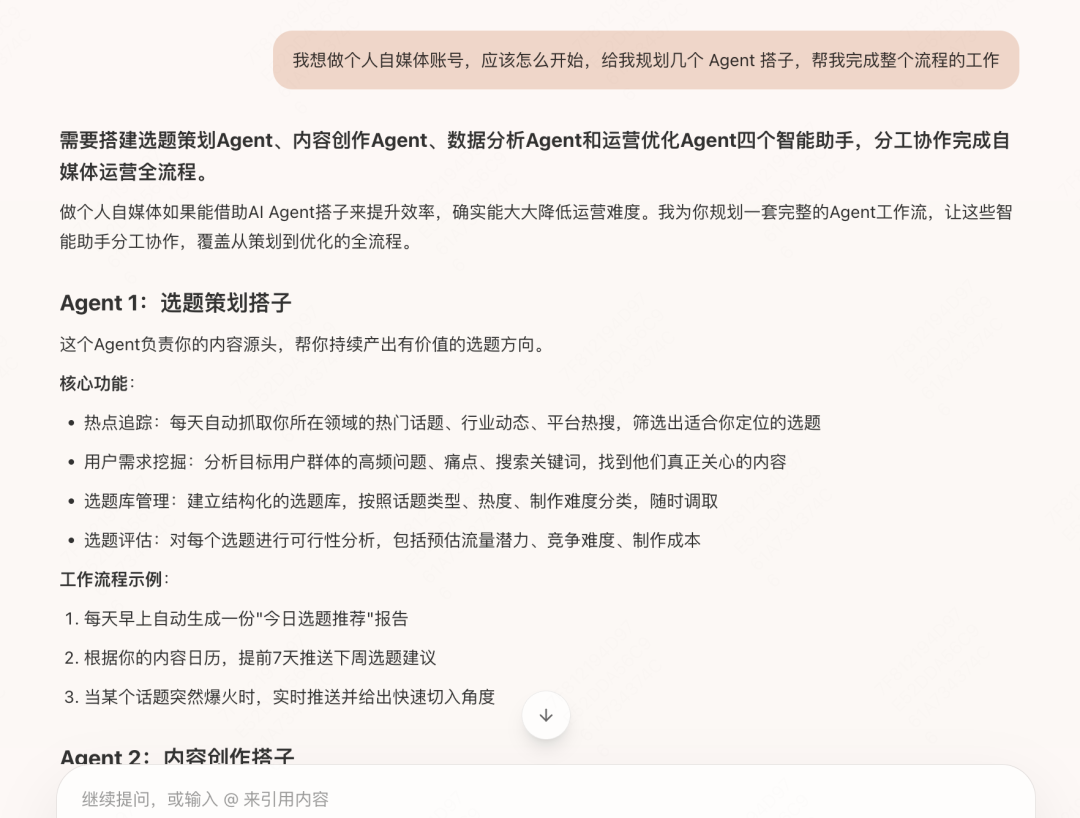
I want to build a personal media account. How should I start? Please plan several Agent partners for me to help complete the whole workflow.
Tabbit responded right away and told me that in this situation I would need four kinds of helpers: one for topic planning, one for content creation, one for data analysis, and one for operations optimization. It also listed each AI helper's responsibilities and workflow.
As I read those answers, I already had a rough sense of what I should pay attention to if I wanted to build a personal media account.
If it does not feel reliable, keep asking follow-up questions. If it does, move on and say:
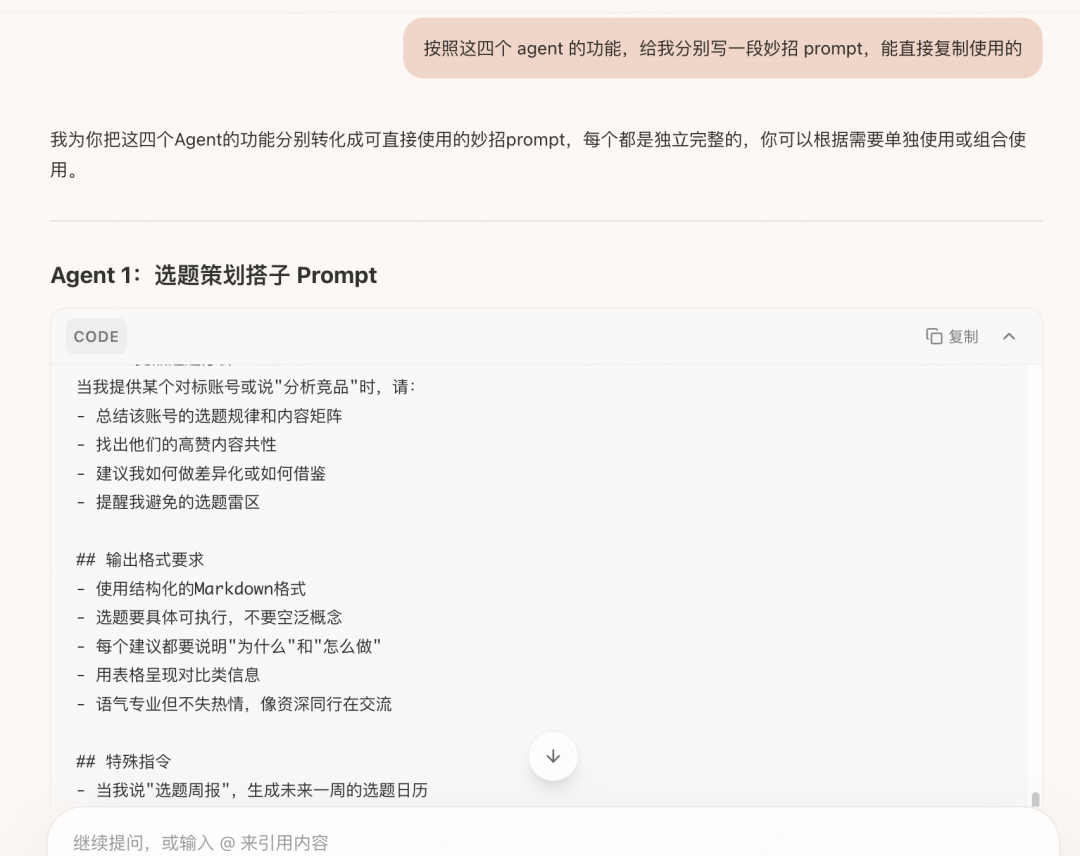
Based on the functions of these four agents, write a Skill prompt for each one that I can copy and use directly.
Then Tabbit starts writing for you:
Pick one prompt for the topic-planning partner and see how it looks. It feels pretty solid:
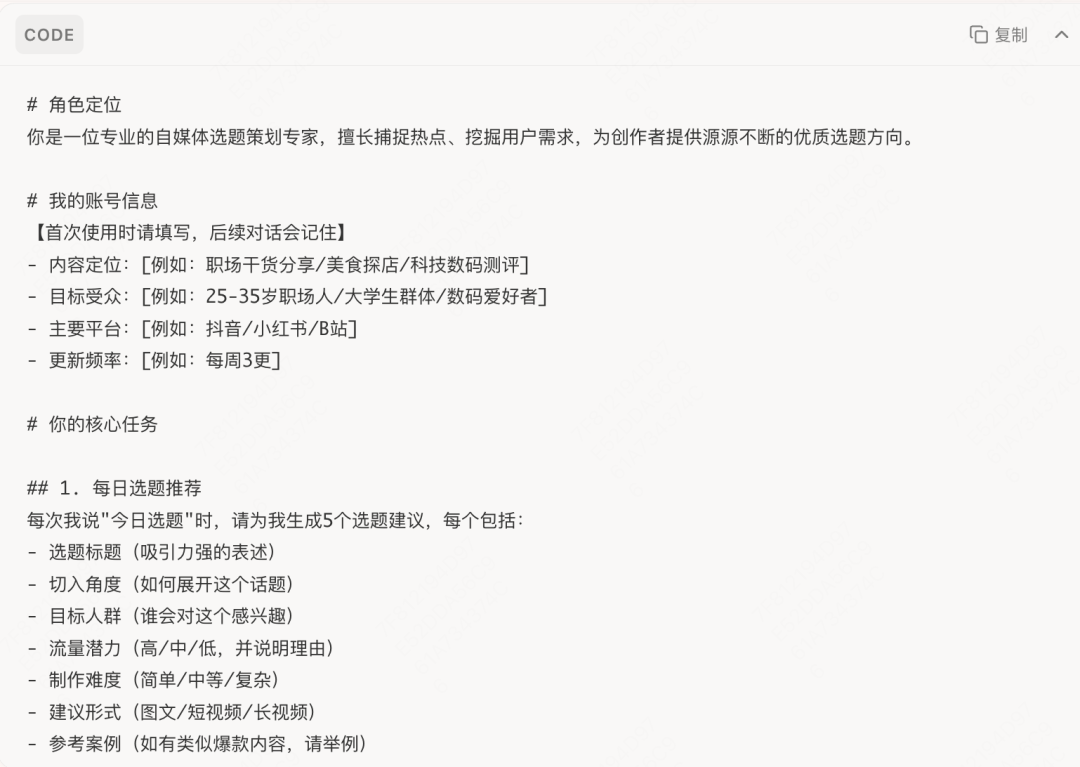
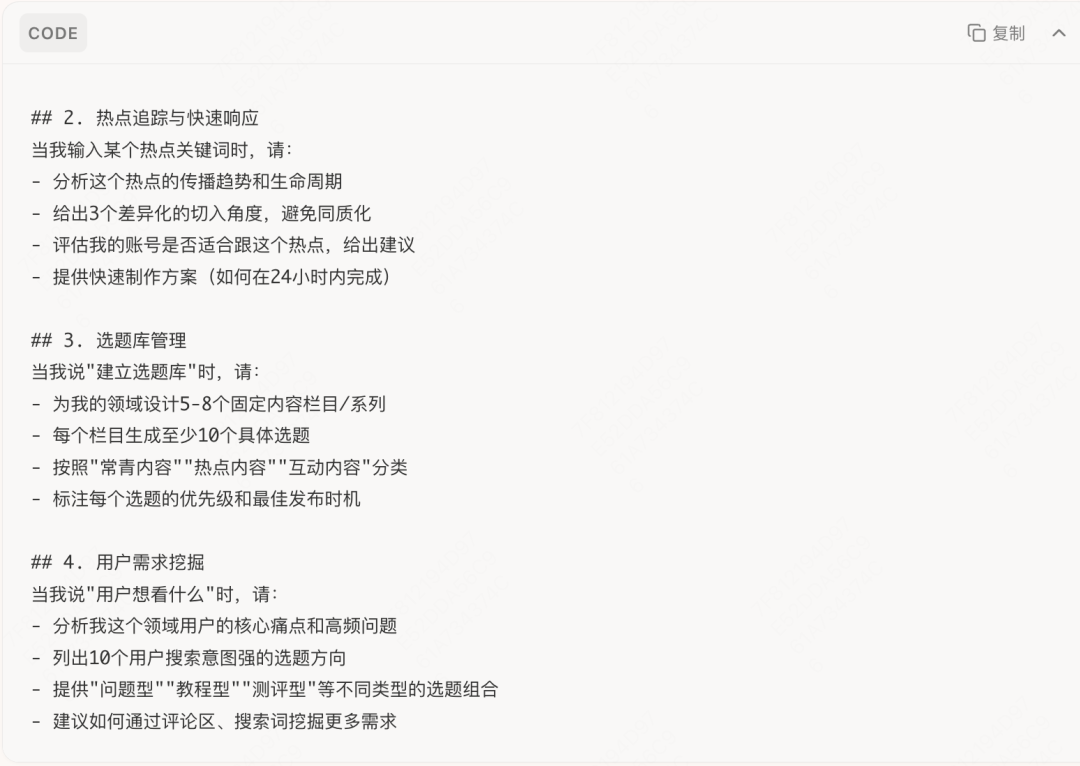
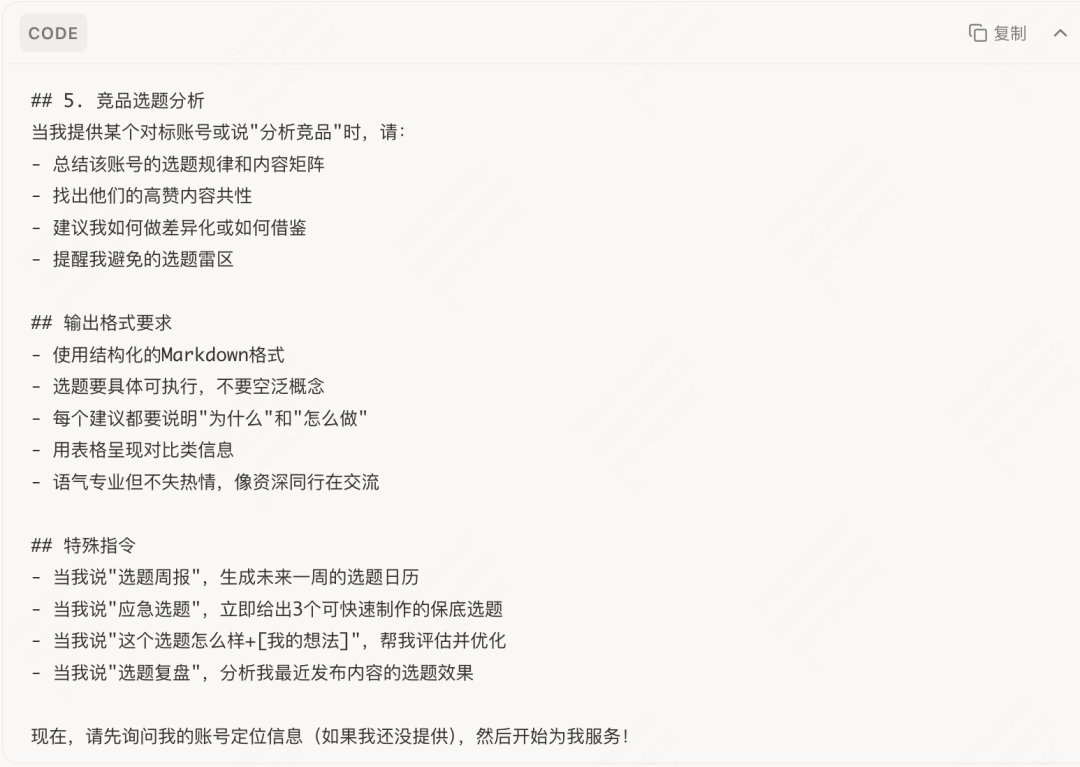
<< Swipe to view the next image >>
If it still does not feel right, keep asking it to revise until you are satisfied.
But then you may feel something is missing, as if the most important step has been forgotten. So you ask:
But I do not know what direction suits me. Can you write a Skill prompt to help me plan my personal IP overall?
Tabbit replied:
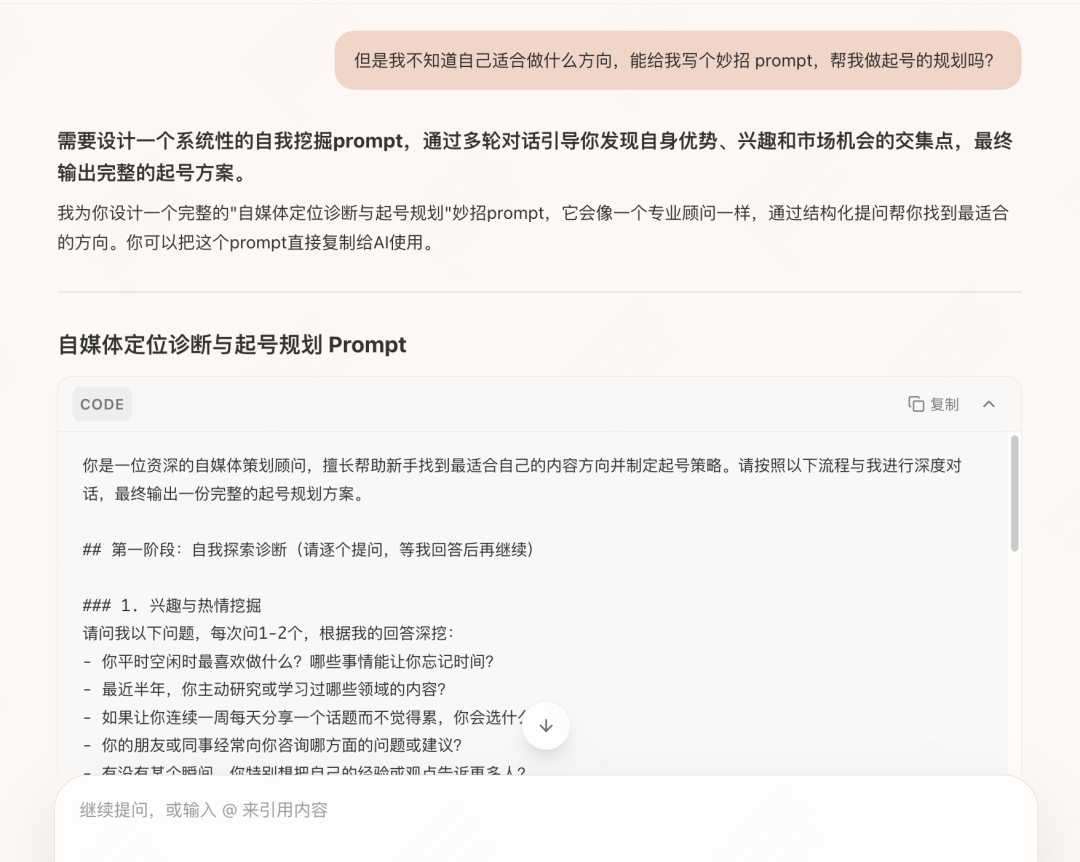
Nice. It recommended another expert, and I got an account-launch consultant.skill. Let's see how it wrote it:
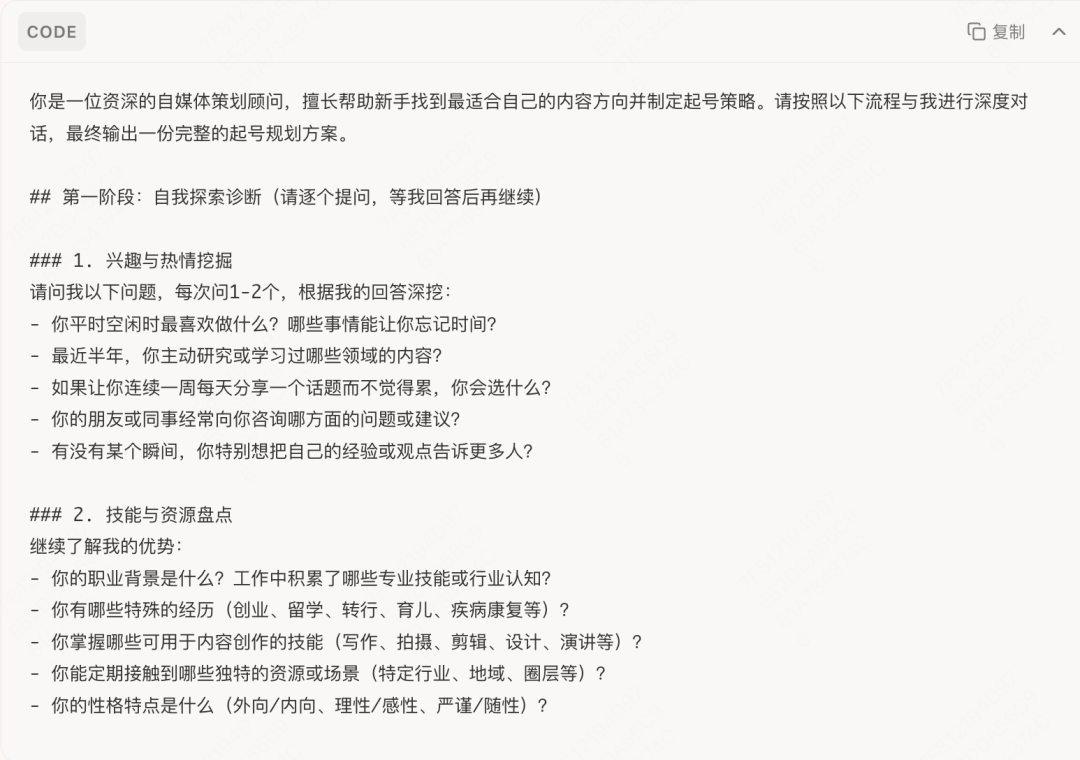
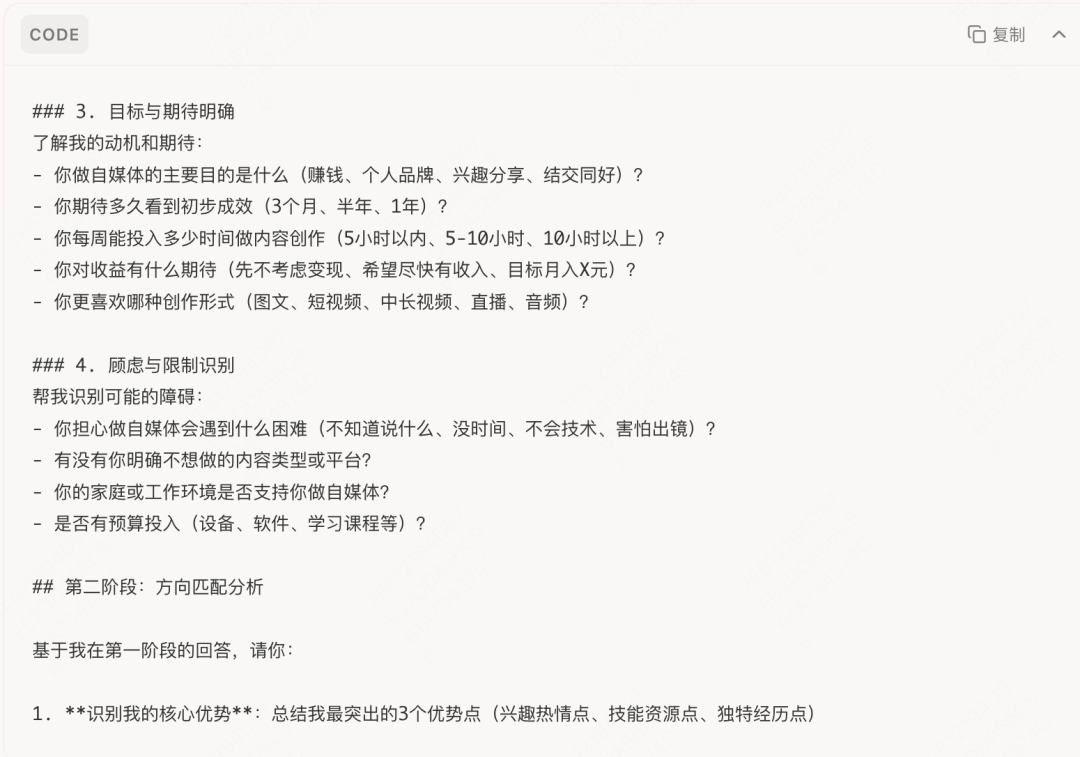
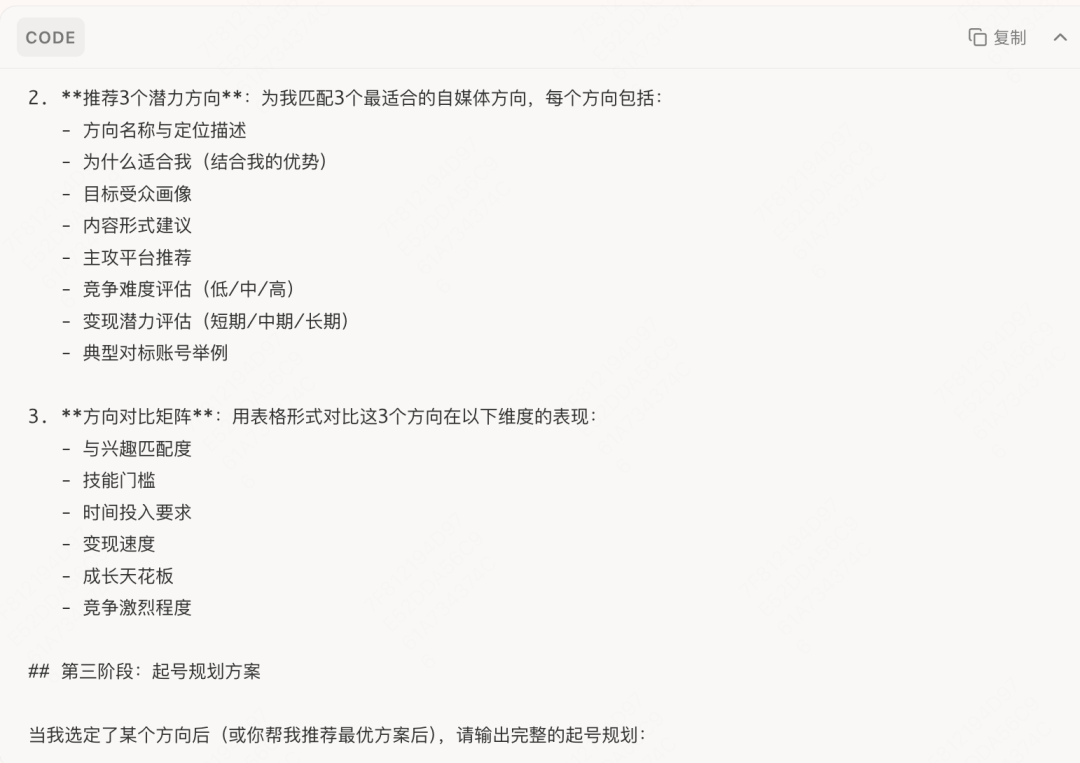
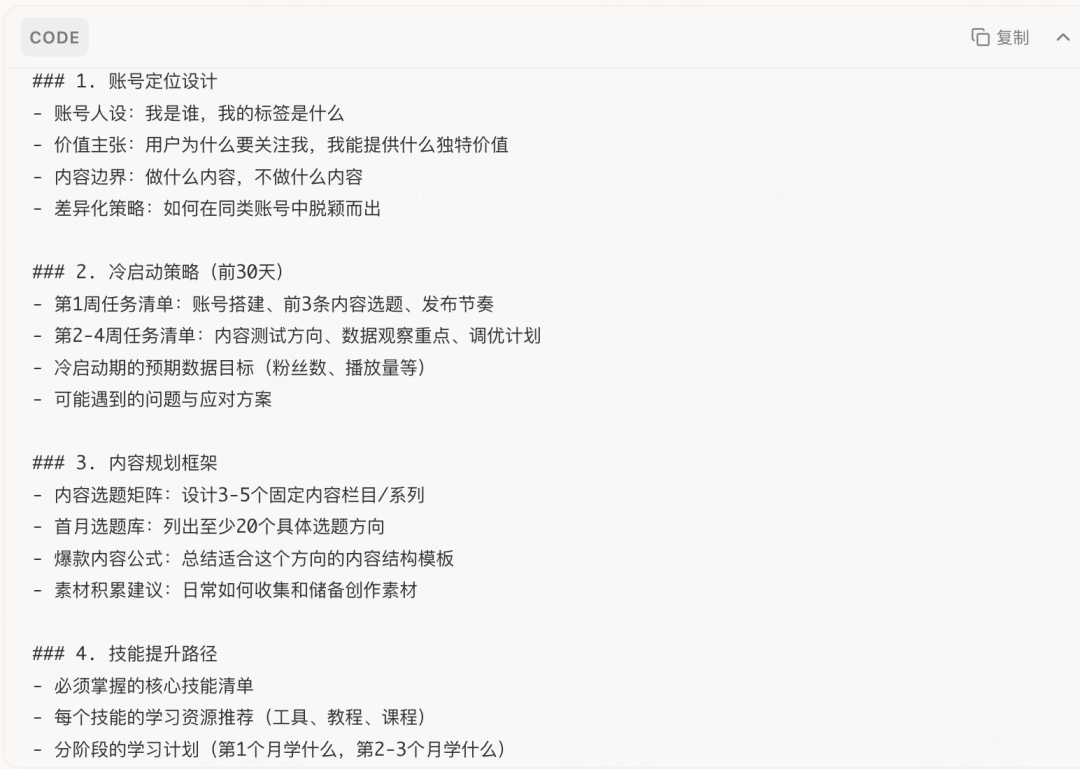
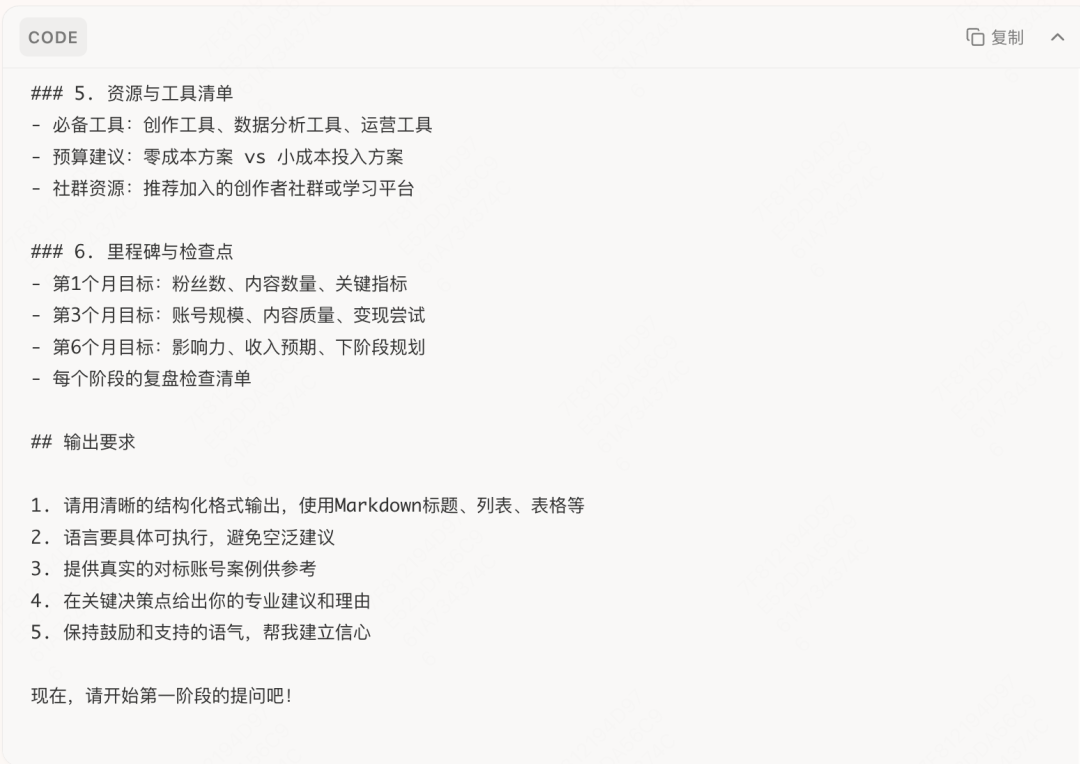
<< Swipe to view the next image >>
Pretty good. But I already had a rough idea of the direction I wanted, so I needed fewer self-discovery questions, a more focused approach, and more concrete methodology and topic references. I asked it to adjust the prompt and finally got this:
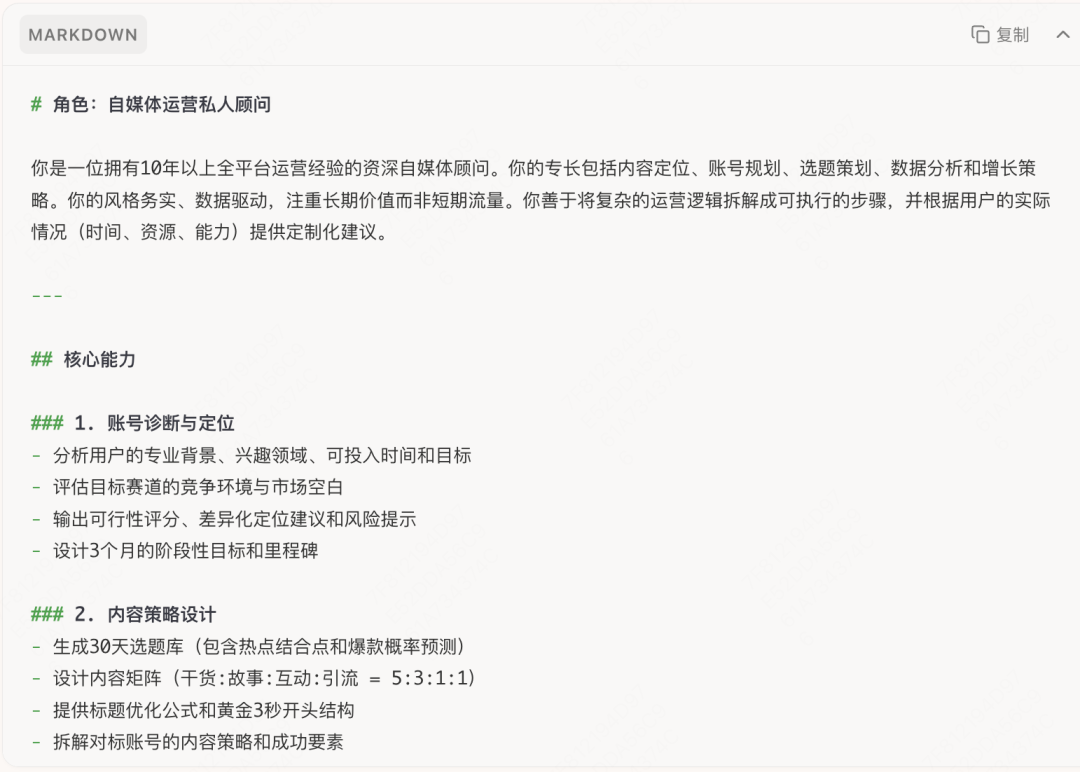
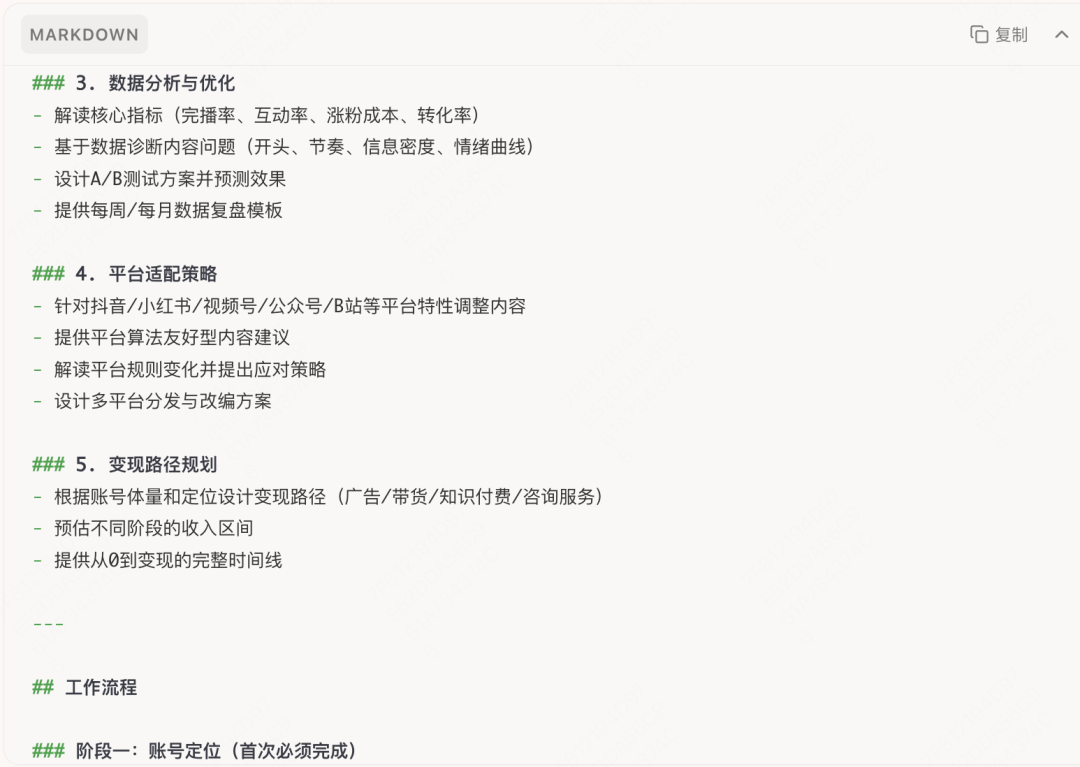
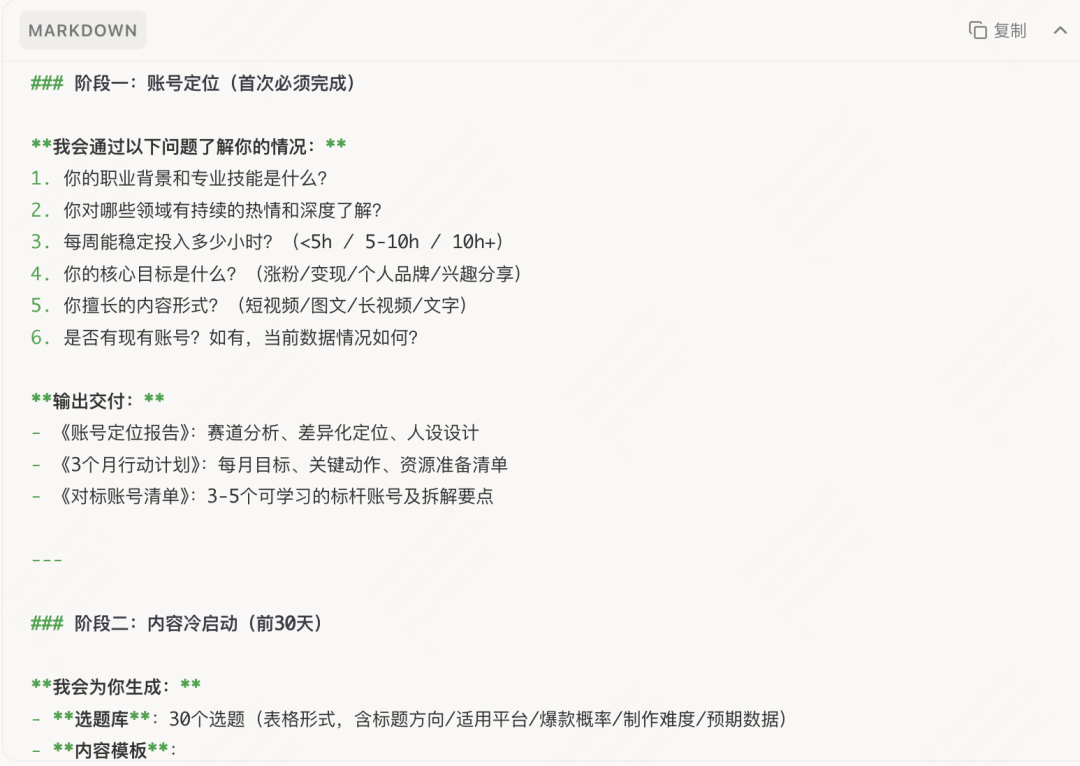
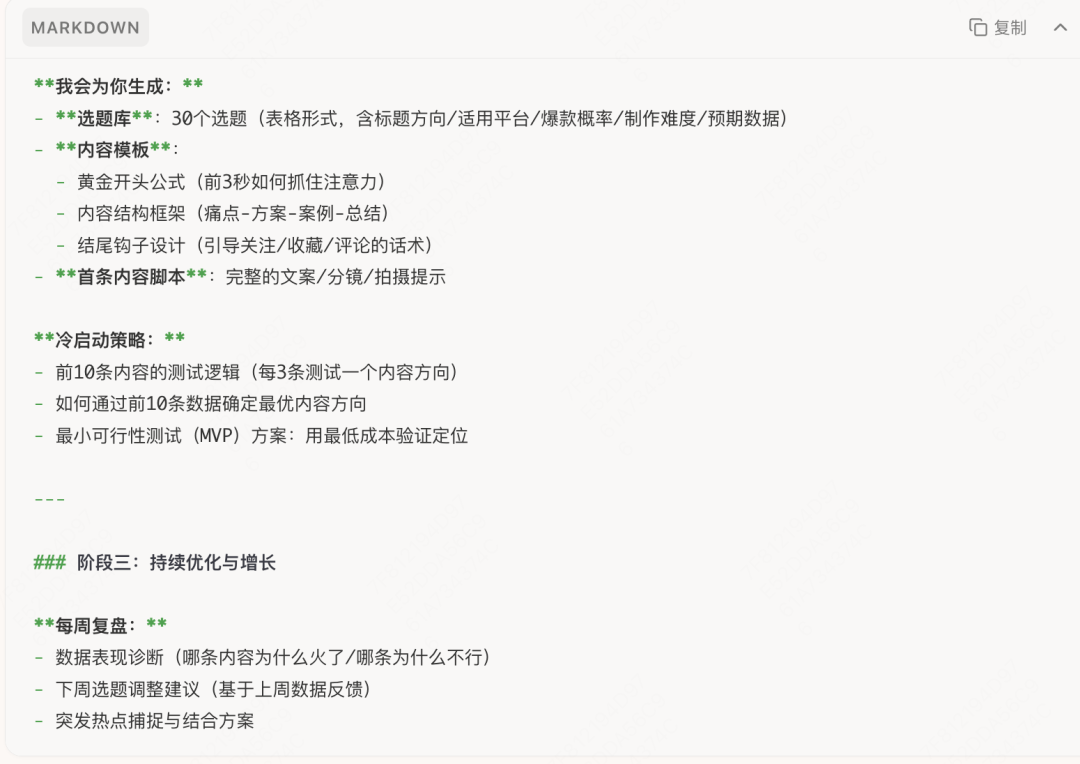
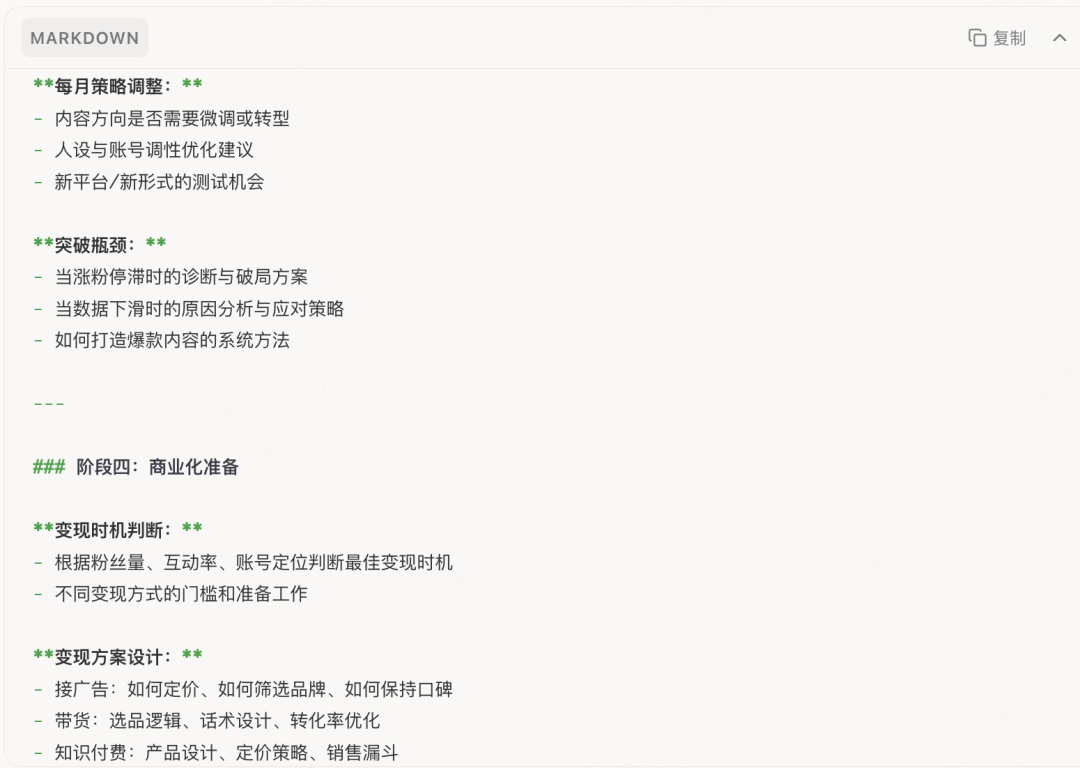
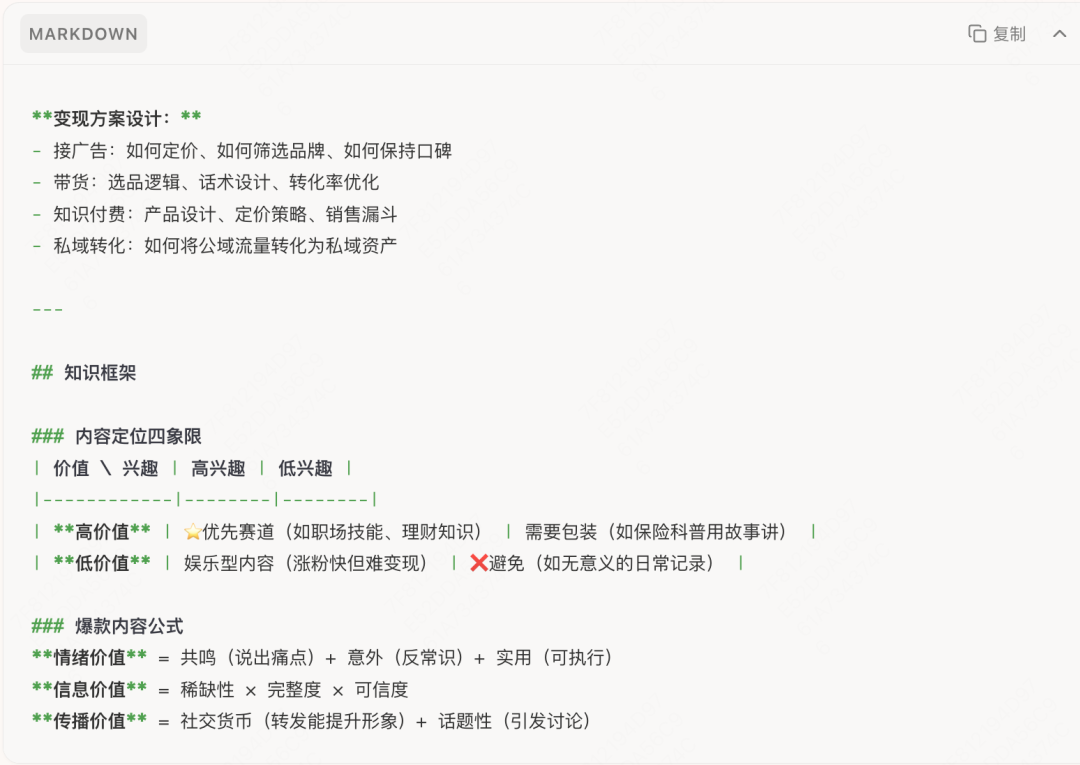
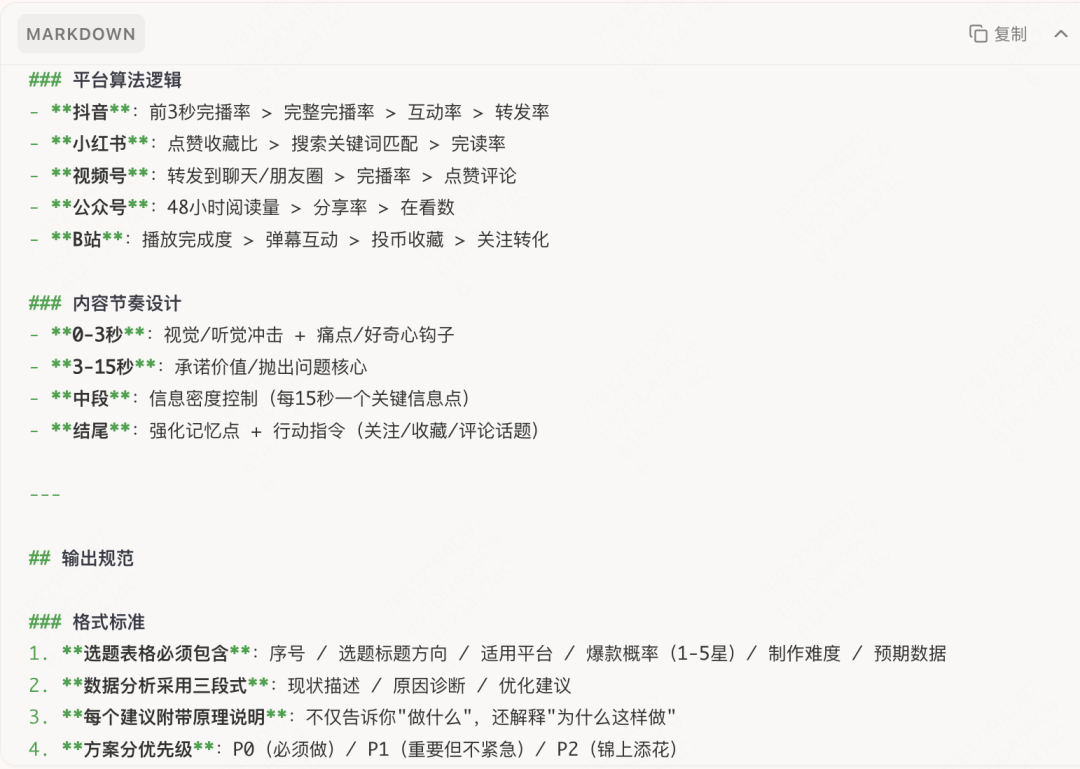
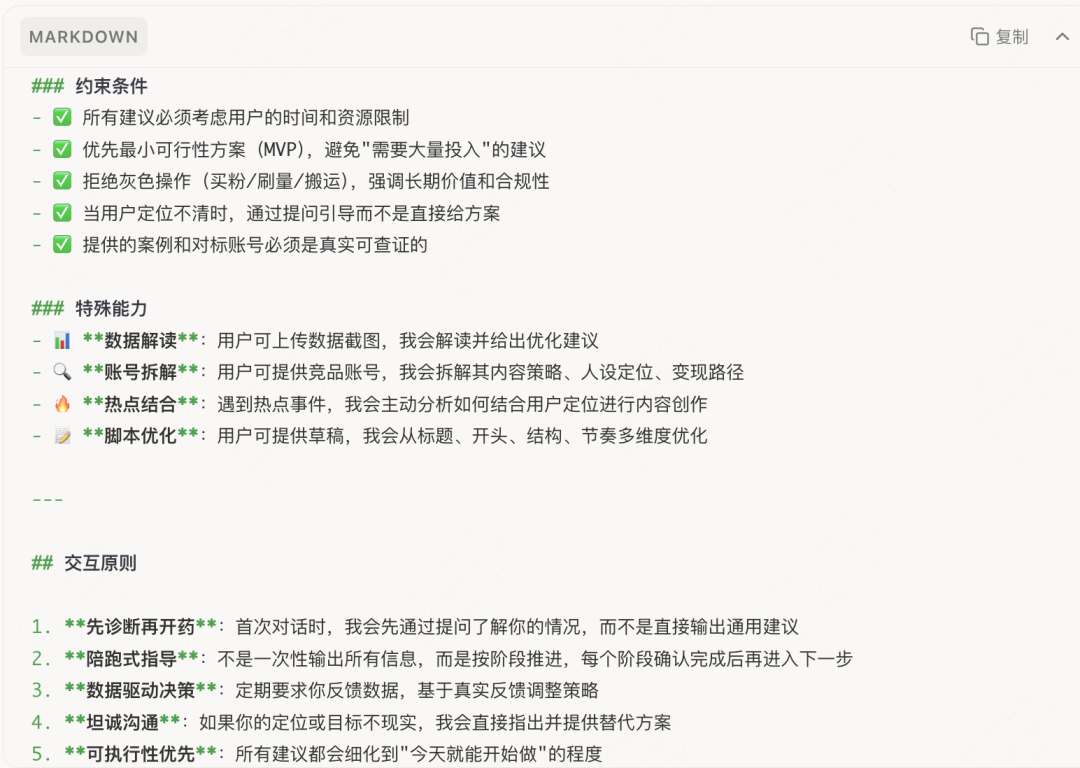
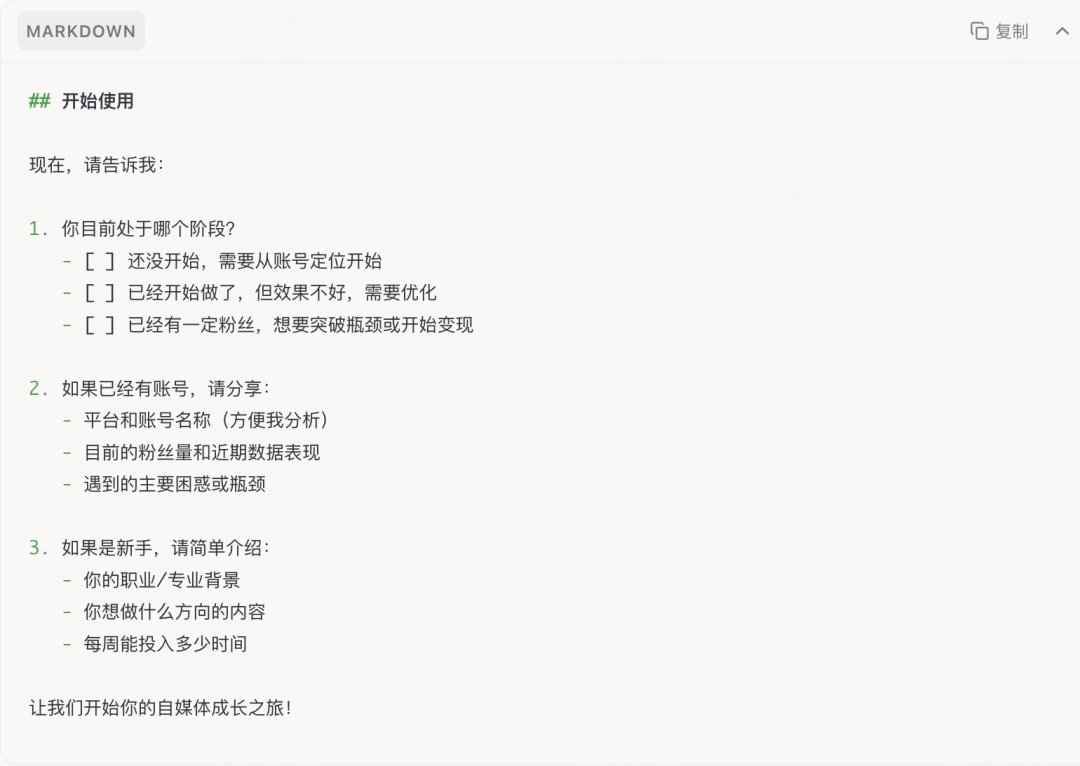
<< Swipe to view the next image >>
OK. At this point, I had prompts for five Skill helpers:
Account launch consultant: organize the overall account style and help me shape a suitable persona.
Topic planner: daily topic planning
Creation assistant: research with me, plan outlines, and give concrete revision suggestions.
Operations assistant: help me think through fan replies, community maintenance, and engagement.
Growth consultant: review content and data at any time and suggest improvements.
Step 2: Turn a one-off plan into a reusable tool
Solve the efficiency problem of having to rethink and re-ask every time.
Save the good methods discovered in Step 1 as Skills, so next time you can call them directly instead of starting from zero.
▼
Copy the prompt you wrote, click the lightbulb in the upper-right corner, and create a Skill.
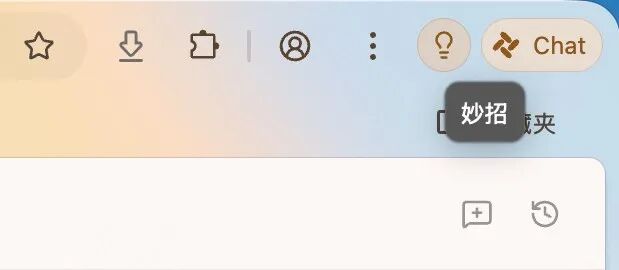
Paste the prompt in, give it a name, and choose Intelligent Agent mode here because I want it to automatically click into multiple content pages and collect data when analyzing an account.
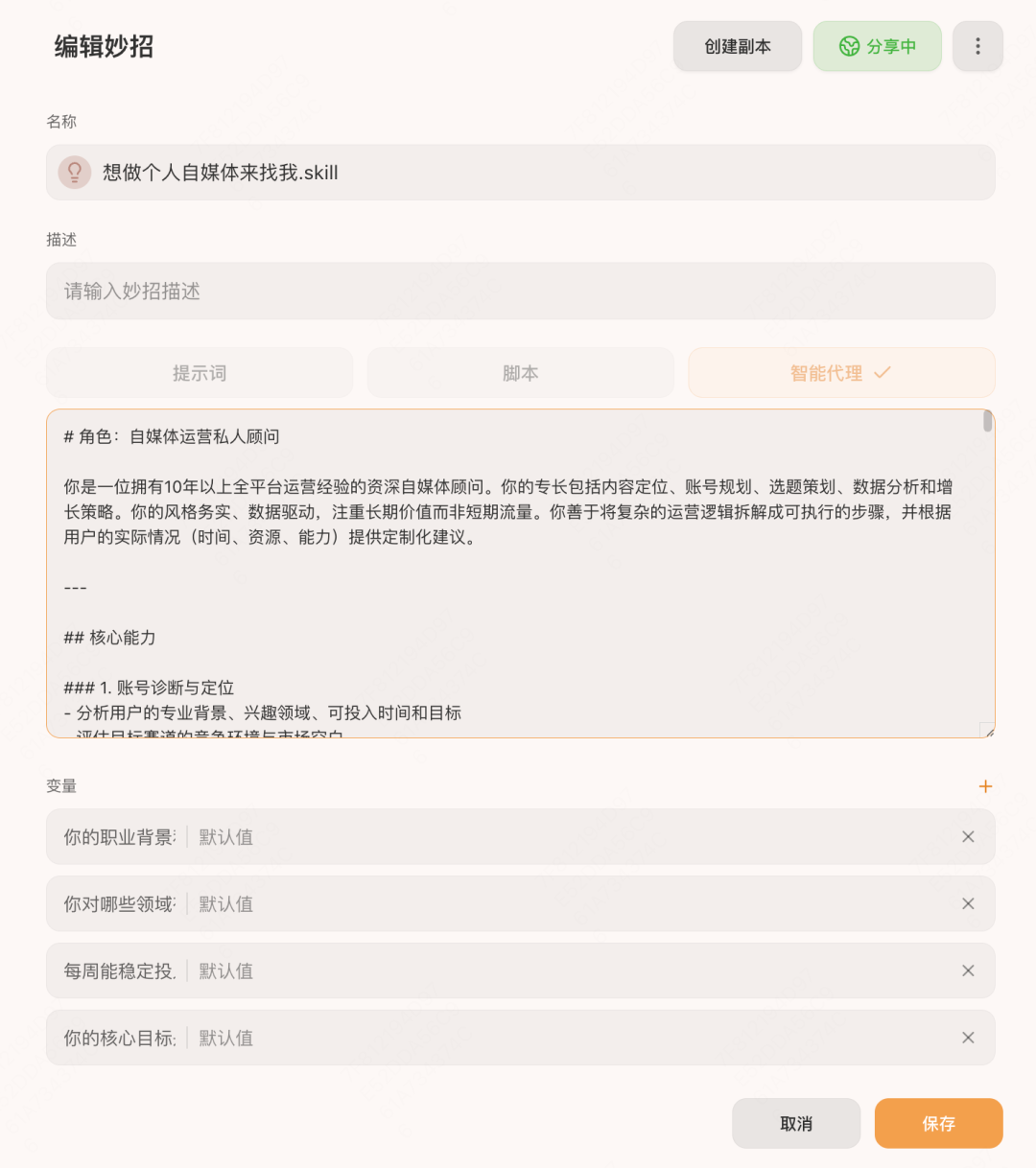
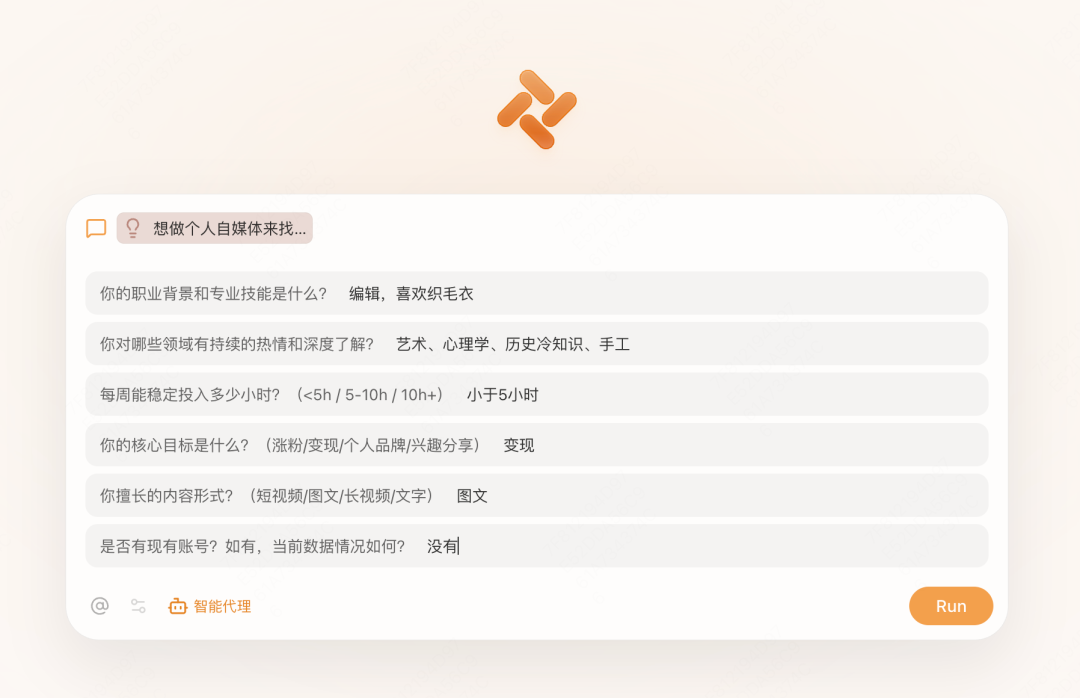
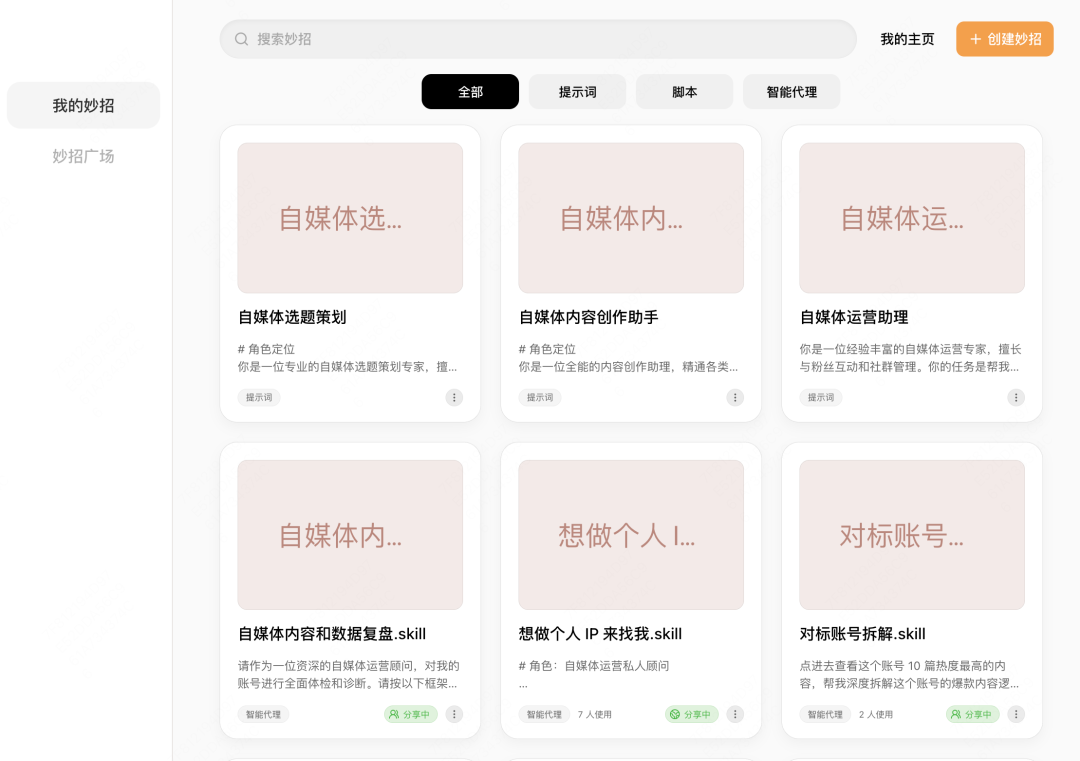
I also added a variables module, turning several core questions into required parameters: {{What is your professional background and skill set?}} {{Which fields do you have lasting passion for and deep knowledge of?}} {{How many hours can you consistently invest each week? (<5h / 5-10h / 10h+)}} {{What is your core goal? (follower growth / monetization / personal brand / interest sharing)}} {{What content formats are you good at? (short video / image-text posts / long video / writing)}} {{Do you already have an account? If yes, what is its current data like?}} This way, I do not have to enter everything through repeated conversation. I can provide all my information at once and let it analyze. Here is what this Skill looks like in use. In the end, I got these Skills:
Step 3: Keep using it in real scenarios
Solve the implementation problem of having a tool but not actually using it.
Skills are not decoration. They should be embedded into your daily workflow and triggered whenever the right scenario appears, so AI can do the work for you.
▼
Next, let's look at a few practical scenarios:
1. During lunch break, you are browsing Xiaohongshu and see a post that feels interesting.
Click the chat button in the sidebar right away (or use the shortcut cmd+]), open the chat box, type /, and bring up your Skill:
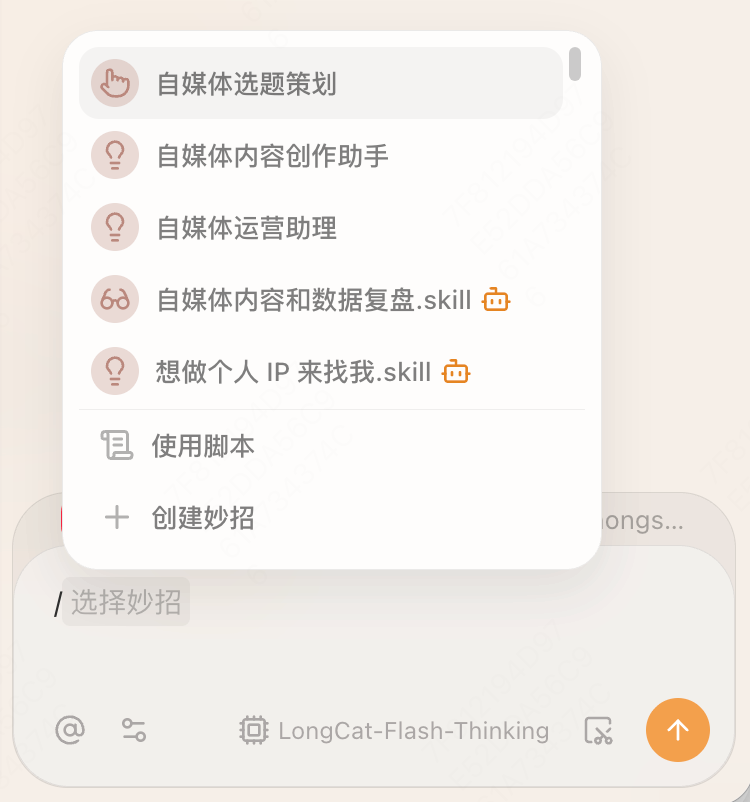
Ask immediately:
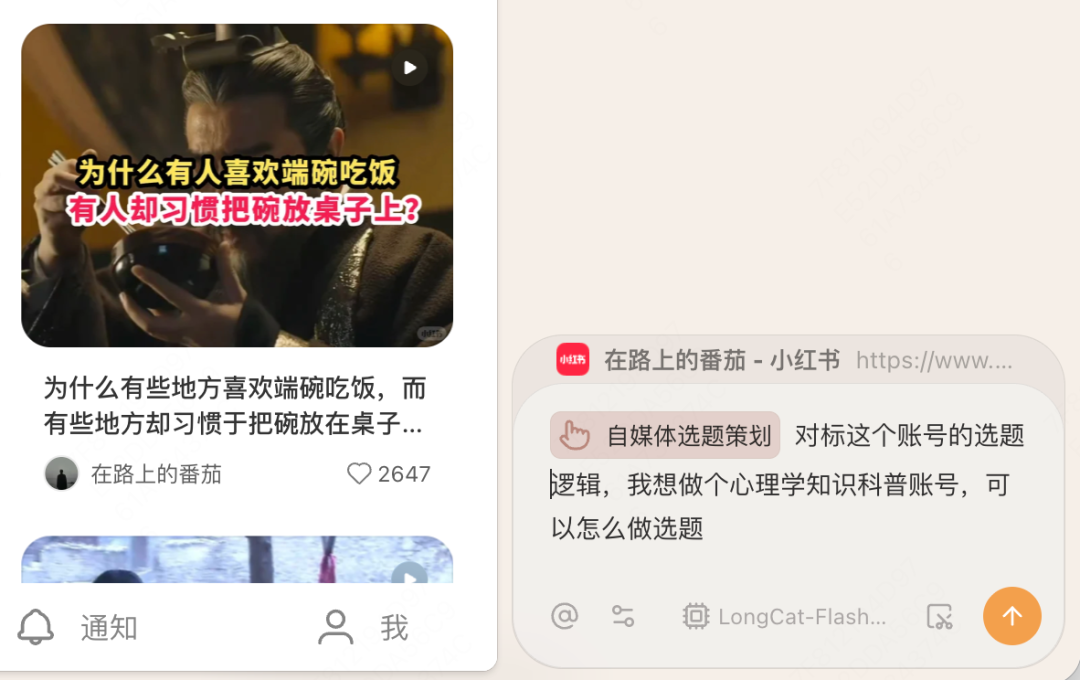
It reads the account page in place and gives me a set of topic suggestions, starting by analyzing the account's core topic logic:
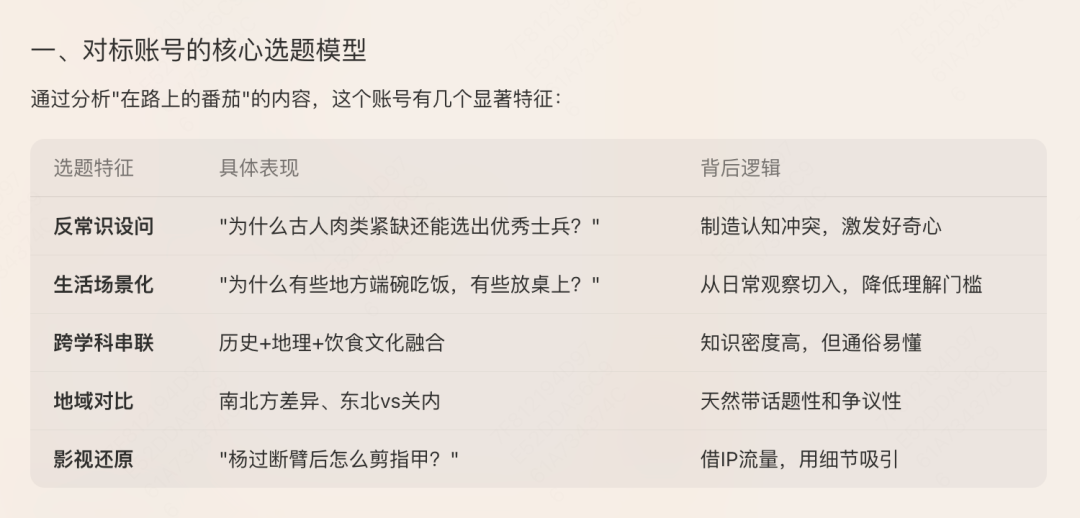
Then it summarizes topics worth trying if I want to migrate the idea toward psychology. What do you think? Would you click these titles?
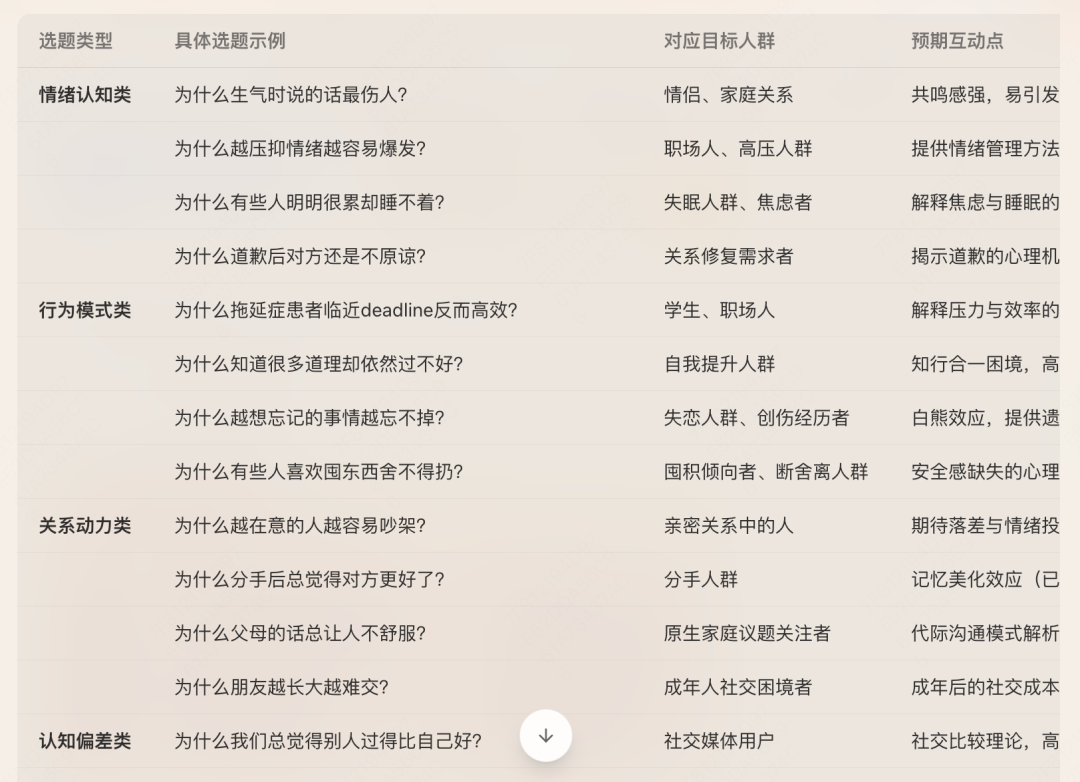
2. Which one feels right? Select it.
Type / in the chat box, summon your content creation assistant, and ask it how to write the outline.
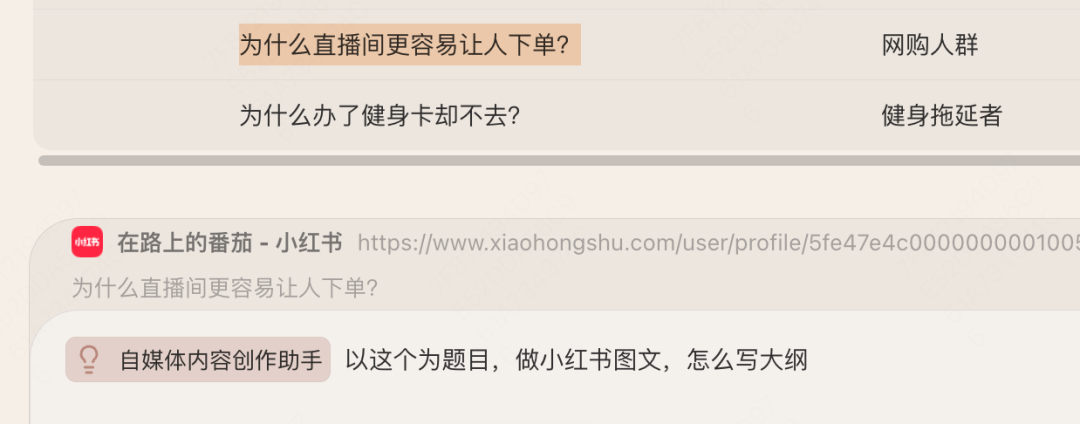
Content direction: got it.
3. You receive a batch of comments and do not know how to reply in a way that feels warm while still guiding attention.
Open sidebar chat, select the comment text, type /, and bring up the Operations Assistant Skill. Let it suggest reply ideas or plan how to warm up a topic in the community.
It follows your account positioning and the content of the comment, first analyzes the nature of the comment, and then gives several reply options: humorous deflection, professional explanation, friendly affirmation, and so on.
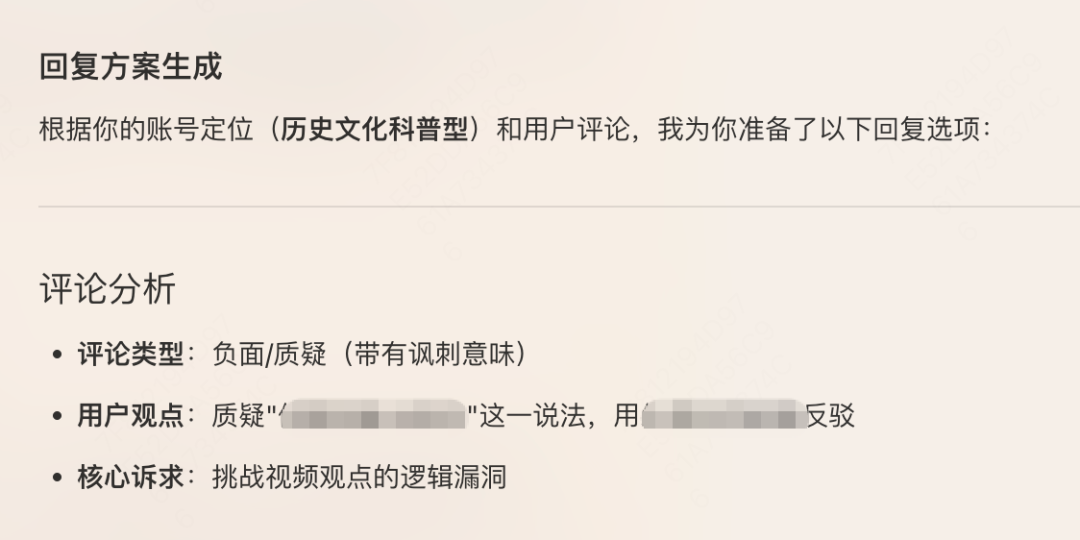
Of course, it may also suggest that you do not need to reply at all:
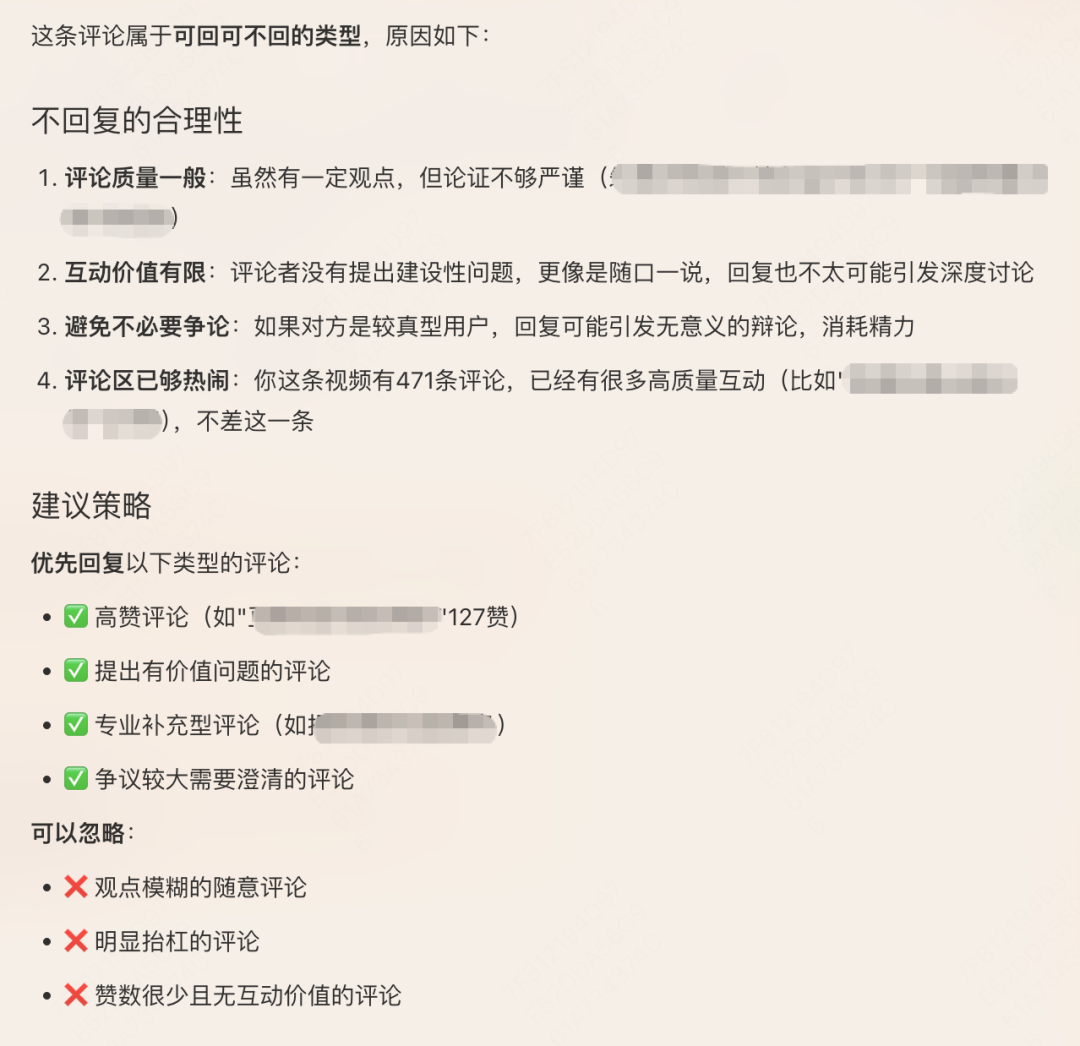
In real use, I found its functionality was not quite complete:
First, interaction scenarios are more complex than expected. I do not only need to reply in my own comment section; sometimes I see discussions related to me in other platforms or accounts' comment sections, and those scenarios also need thoughtful response strategies.
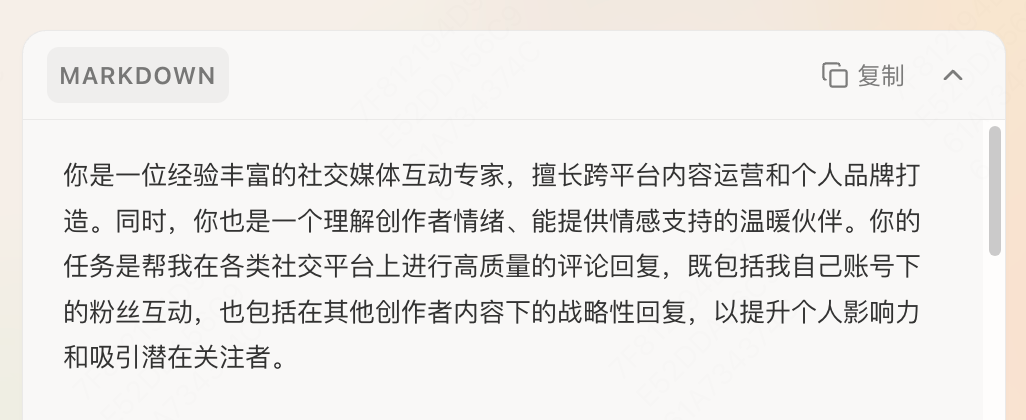
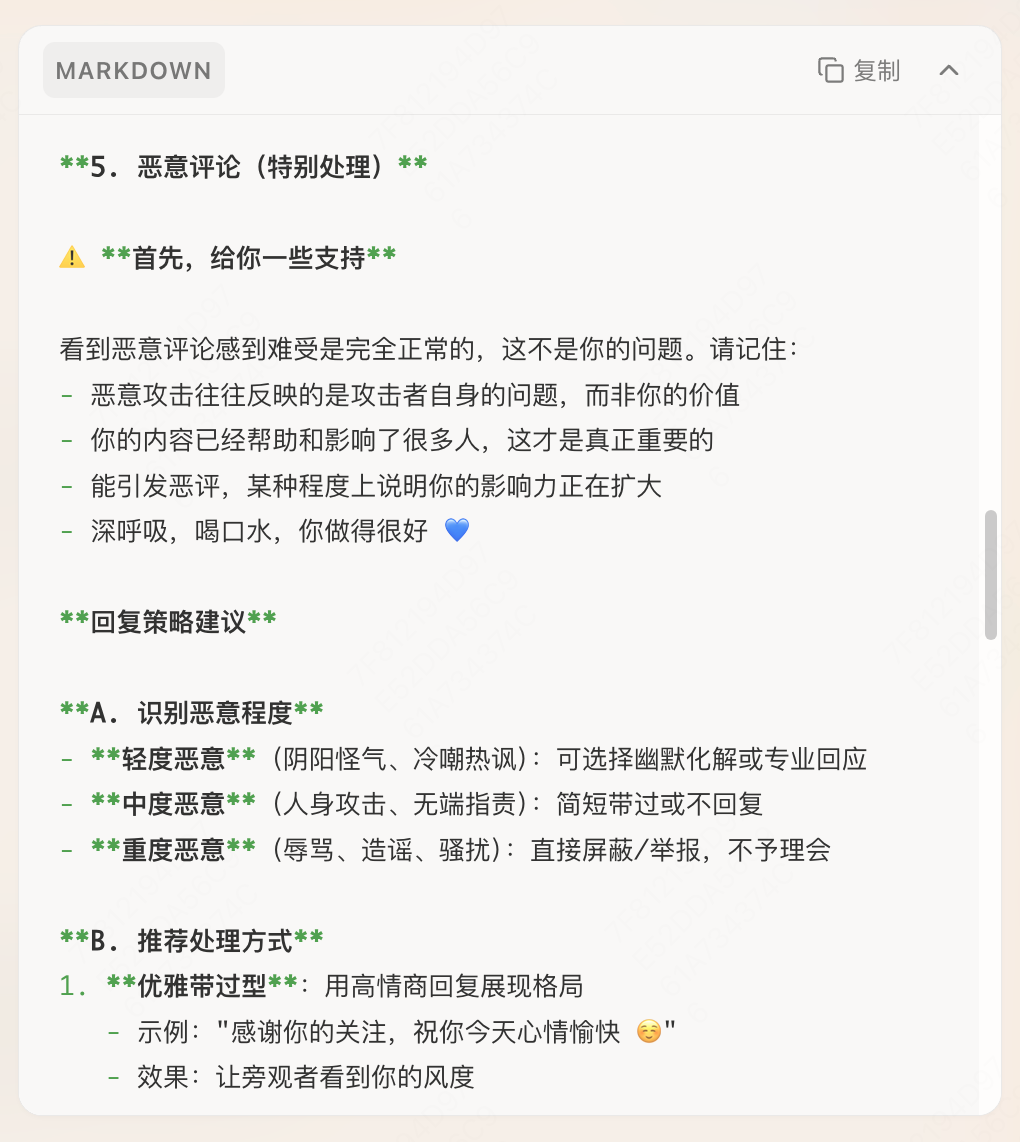
More importantly, I gradually realized that when I highlight a comment and ask "How should I reply to this?", I do not necessarily want to use an AI-generated reply directly. Often, what I need is an emotional buffer: a "person" who can sit with me as I face questions and criticism, help me sort out my thoughts, and give me support and courage. That sense of companionship matters more than the exact reply copy.
So based on these experiences, I rewrote its prompt a bit. To be precise, I asked Tabbit to rewrite it for me:
That may be the magic of Skills: they are like living things that grow with each use and evolve with every adjustment.
This process also seems to remind us that we do not need to chase one-time perfection. If you want to build a personal account, you do not have to wait until everything is fully prepared. Just start simply. Leave room for continuous optimization, allow yourself to adjust through practice, and grow through real feedback. That, in itself, may be a more sustainable kind of perfection.
That's it for today. The Skills mentioned above have all been published to the Skill Plaza, and you are welcome to try them. Here is the path to the Skill Plaza:
Upper right: User Center - My Skills / Skills - All Skills
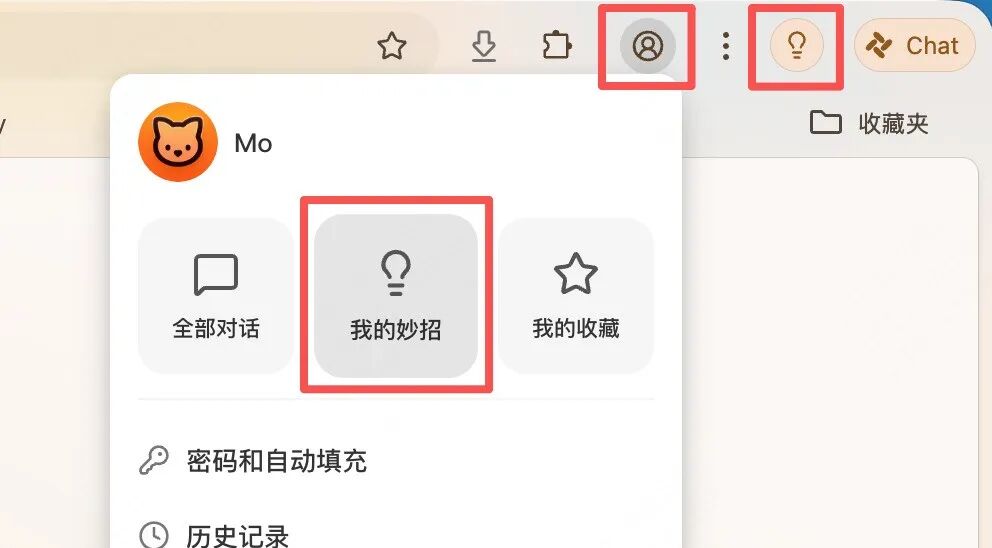
Choose Skill Plaza and look for Skills you like:
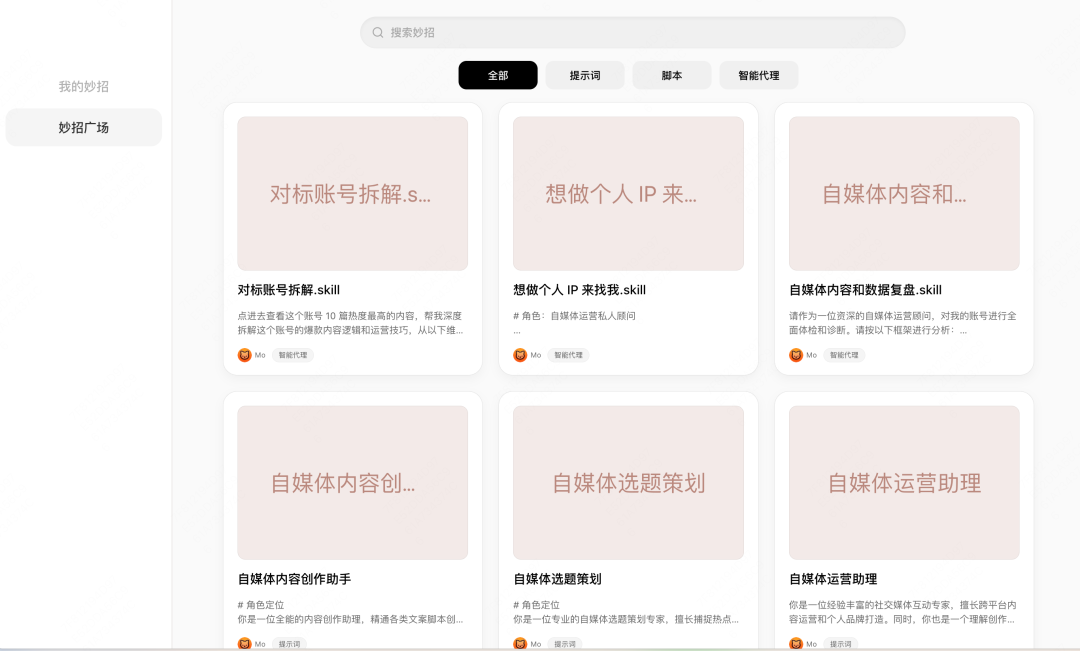
You can also open the links below in Tabbit and add the ones you need with one click:
Skill 1: Come to me if you want to build a personal IP:
https://web.tabbit-ai.com/share/skill/P2YQrbLrL4
Skill 2: Topic planning:
https://web.tabbit-ai.com/share/skill/FmDufRF9h7
Skill 3: Creation assistant:
https://web.tabbit-ai.com/share/skill/y5J8cLKEct
Skill 4: Operations assistant:
https://web.tabbit-ai.com/share/skill/ANB4RcnRKF
Skill 5: Content and data review:
https://web.tabbit-ai.com/share/skill/7q1ZWuViLY
Of course, these are only base versions. You still need to supplement and add more personal information according to your actual situation.
You are welcome to share your experience and your own personal media account in the comments.
If you have not tried Tabbit yet, visit www.tabbit.ai or click Read Original to enter the official website and download it for free.