
Saved more than 1,000 links over 10 years, but only use 6 every day? Saved something thinking you would read it later, then never opened it again? Saved the same page three times because it looked exciting every time, and then nothing happened? Finally remembered a bookmark after ages, only to find the link dead? Saved something yesterday to read later, and today you cannot find where it went?
If any of the above sounds familiar, Tabbit's bookmark feature was built for you.
In the past, we treated bookmarks like an information storage room and kept stuffing things into it.
When we saw a valuable article, an interesting webpage, or a useful little tool, we habitually clicked the little star so we would not lose touch with the good stuff. Somewhere in the back of our minds, we thought: save it first, read it later, or surely it will be useful someday.
The action is simple and reassuring, as if saving the link already counts as a kind of accumulation and protection. Saved = read. Read = mastered.
Unfortunately, knowledge does not automatically enter your brain. Much of it falls under a sleeping spell the moment it is bookmarked. Apart from a few frequently used work pages, most items in the bookmarks folder only collect dust.
This is not only your problem. It is also a problem we have encountered while using browsers, and it is a major reason we wanted to rethink bookmarks in Tabbit Browser.
Bookmarking should be the starting point of knowledge management: an endorsement of an idea, a resonance with a passage, or a marker for a question. Those moments that move us should become knowledge assets we can call on later when thinking, creating, or making decisions. But in old habits, bookmarking was more about hiding than using. The flow of information stopped there. It did not move into our thinking, turn into action, or grow into new insight.
With these thoughts in mind, we redesigned the details of bookmarks around three questions: how to save, how to find, and how to use.
How to Save
In the past, clicking bookmark only saved a webpage link. Once the site changed, the page could become invalid, leaving you with nothing. Now, Tabbit saves not only the link but the full webpage content. From now on, you no longer need to worry that content you like will disappear.
If browsing the web is like reading a book, then bookmarking is like underlining a wonderful passage, folding a page, or adding a sticky note so you can find it later. If so, why should browser bookmarks be limited to a single webpage?
Sometimes after reading a whole article, the most useful part is just one paragraph or a few images. To save that paragraph, you have to copy it into a document, take a screenshot, or right-click to download the image. Every option is cumbersome, and the material you save this way may never be found again.
In Tabbit, we expanded the definition of bookmarking from saving an entire webpage to saving any image, paragraph, code block, and more within a webpage.
When you encounter anything interesting, select the text or hover over an image, then right-click Save Selected Text / Save This Image. It becomes a lightweight note-taking feature that is truly what-you-see-is-what-you-get, anytime and anywhere.
How to Find
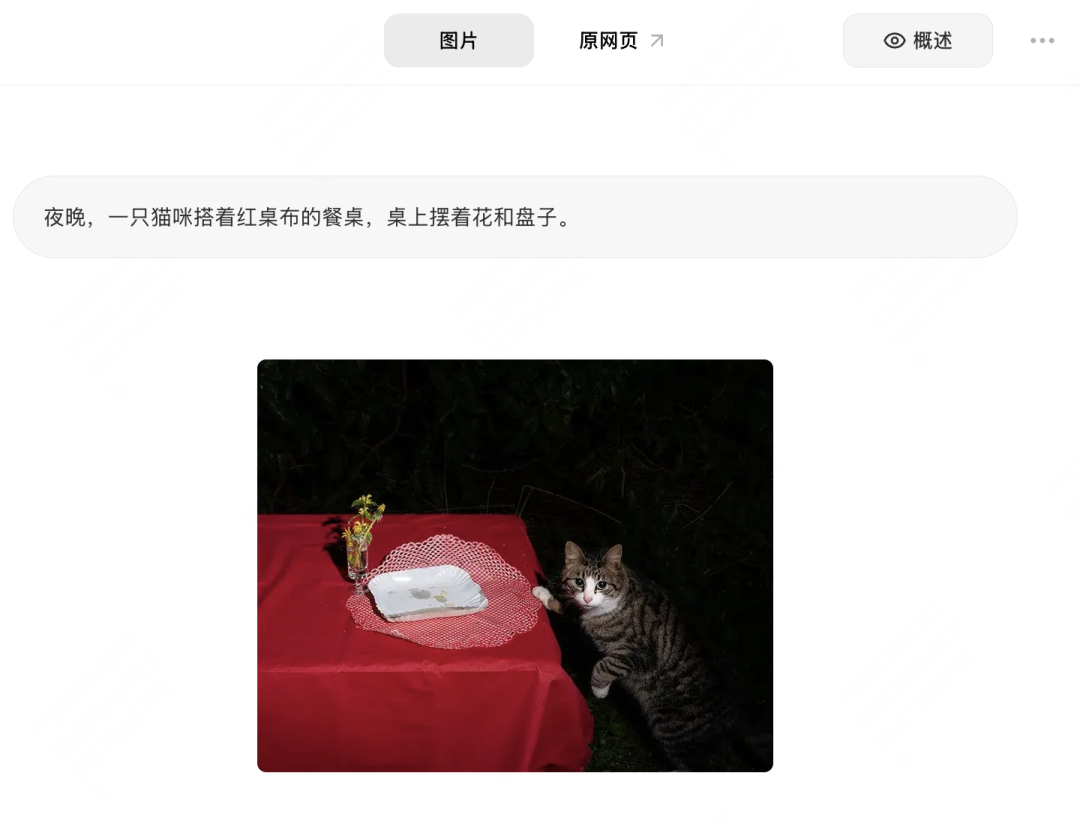
After text, images, or webpages are saved, AI automatically generates a short summary of the content. When you need to review it, hover over an item and the summary appears, helping you remember what you saved without having to open the page and read through it again.
Similar to Tabbit's intelligent tab organization, we provide one-click smart bookmark organization for heavy sufferers of messy tabs and labels. It classifies content by topic, automatically groups and names it, and instantly tidies scattered bookmarks. If a detail does not suit you, just tweak it.
You can also talk to your bookmarks through the chat box, making it easier to clean up obsolete materials: "Find whether I have duplicate bookmarks," "Find bookmark links that have expired," and so on.
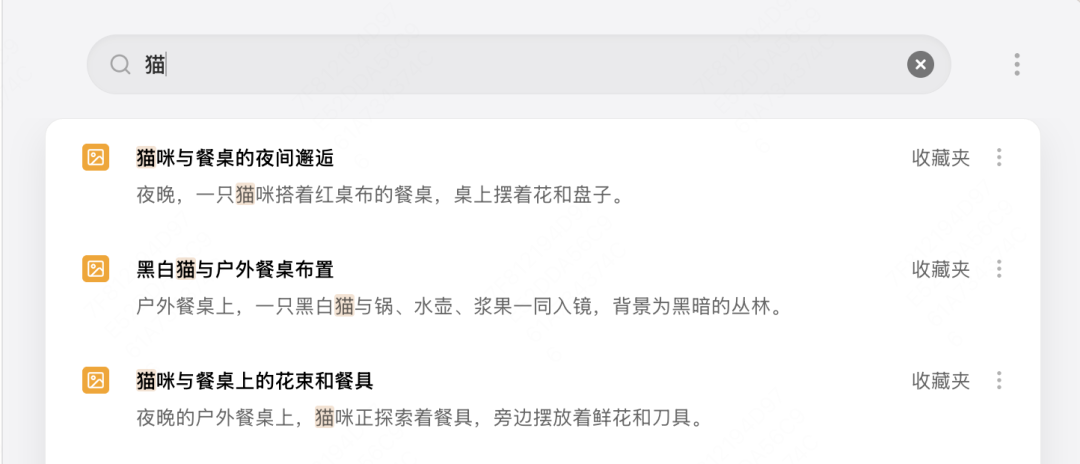
After saving things for a long time, not being able to find them is probably the most common difficulty, and often you cannot even think of the right keyword. Tabbit supports fuzzy search for bookmarks. In My Bookmarks, you can enter keywords to search related materials, including images.
How to Use
This is the key step that makes saved content come alive and enter your workflow. In the past, we had to remember all our materials before we could flexibly use them in creation or decision-making. Now, when you talk with Tabbit, ask for advice, or seek inspiration, the materials you once approved as high quality can be directly referenced as background knowledge and context, becoming important references for AI responses and truly putting knowledge to work.
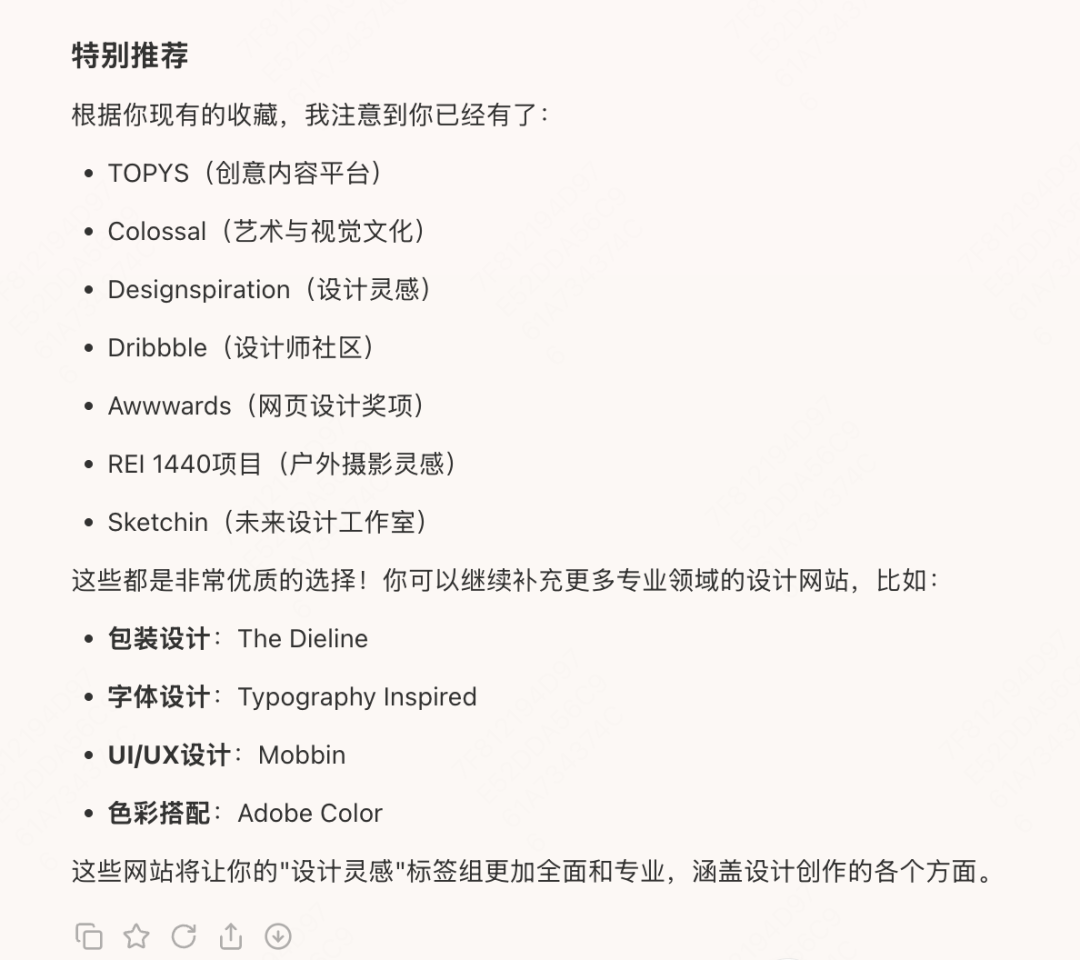
What you save reflects your personal judgment and taste, and often represents part of your knowledge needs. The internet is vast, and the information that best fits you will not automatically appear in front of you. But in Tabbit, AI can analyze your bookmarks, understand your reading preferences and interest areas, and recommend websites and information sources with a similar taste.
The value of bookmarks has never been about how much you hide away, but how much you use. Through these changes, Tabbit hopes every bookmark will no longer be an endpoint, but a new starting point for continuous learning and deeper thinking. We hope it can truly become your personal knowledge base: let bookmarks stop sleeping, and let knowledge work for you.
That's it for today. If you have not tried Tabbit yet, click Read Original to enter the official website and download it for free.